
Quick startTest training
Simulate your training based on the parts, exercises, and plans you have registered.
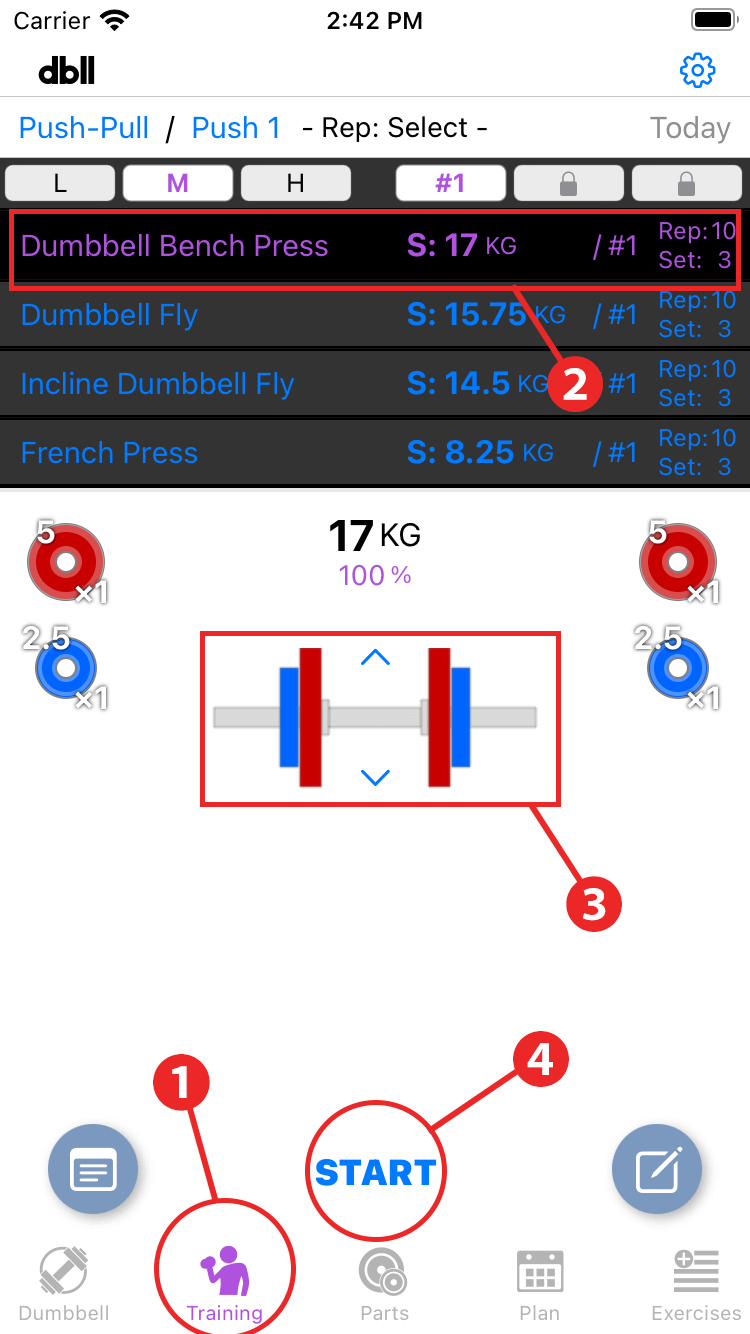
- Tap “Training” in the menu.
- Day 1 workouts are listed and the first exercise is selected in purple.
- The dumbbell to be used for the selected exercise are displayed.
- Tap "Start" to begin training (in this case, simulate).
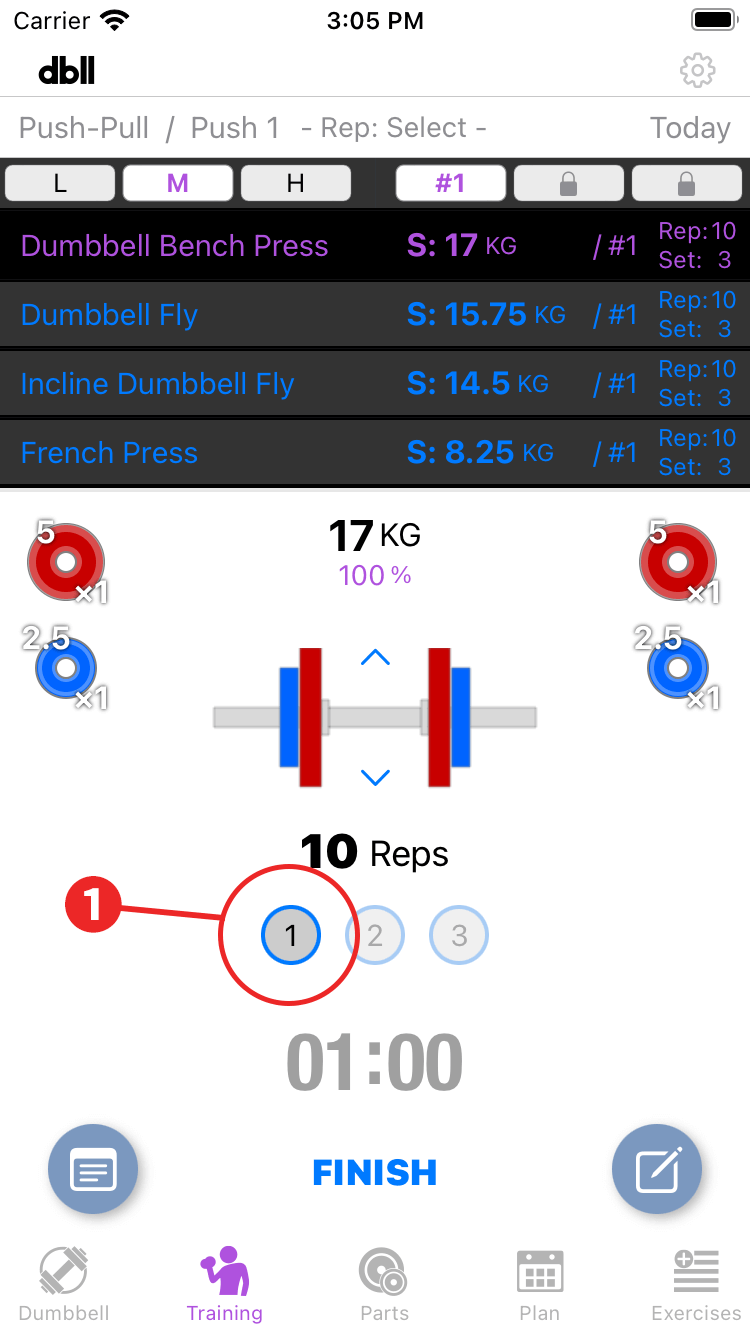
- Assuming that the first set is completed, tap "1" on the set number display.
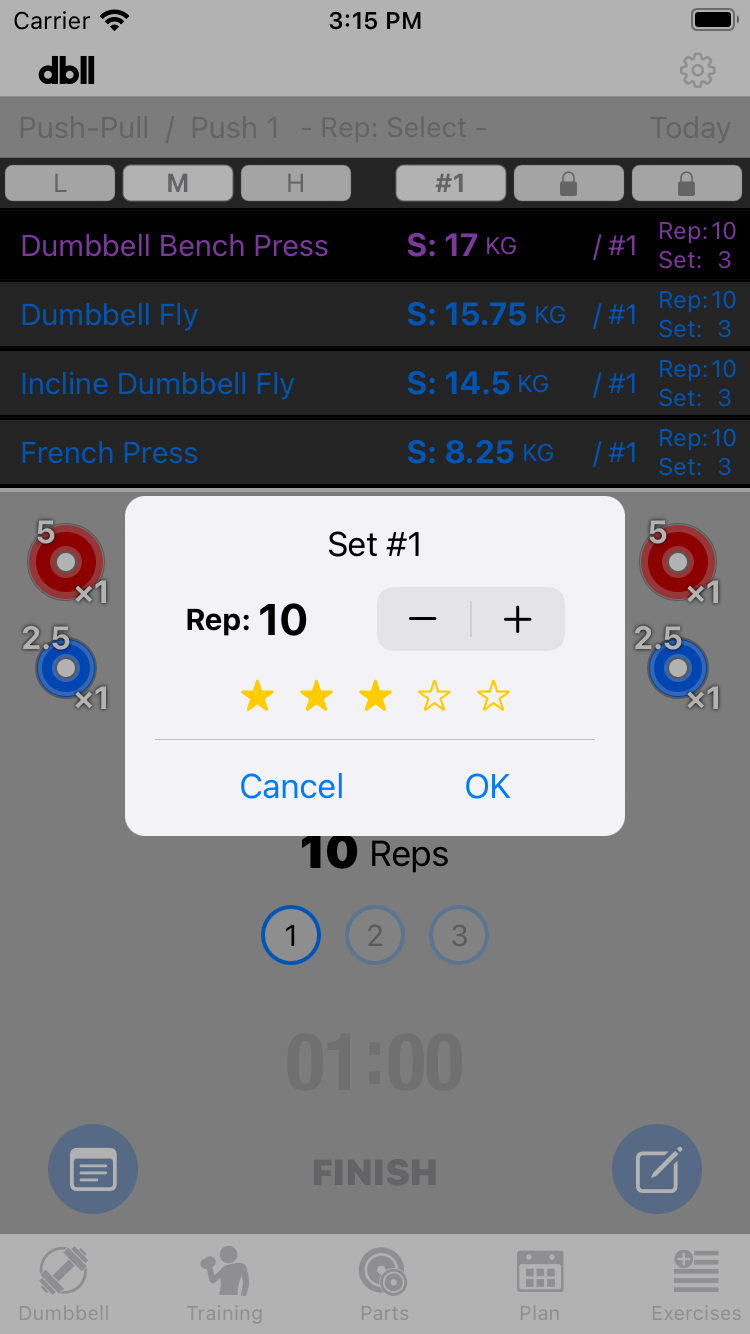
In the dialog that appears, record the number of reps and rating for the first set with the number of stars.
Tap all buttons after the next set to finish the first exercise.
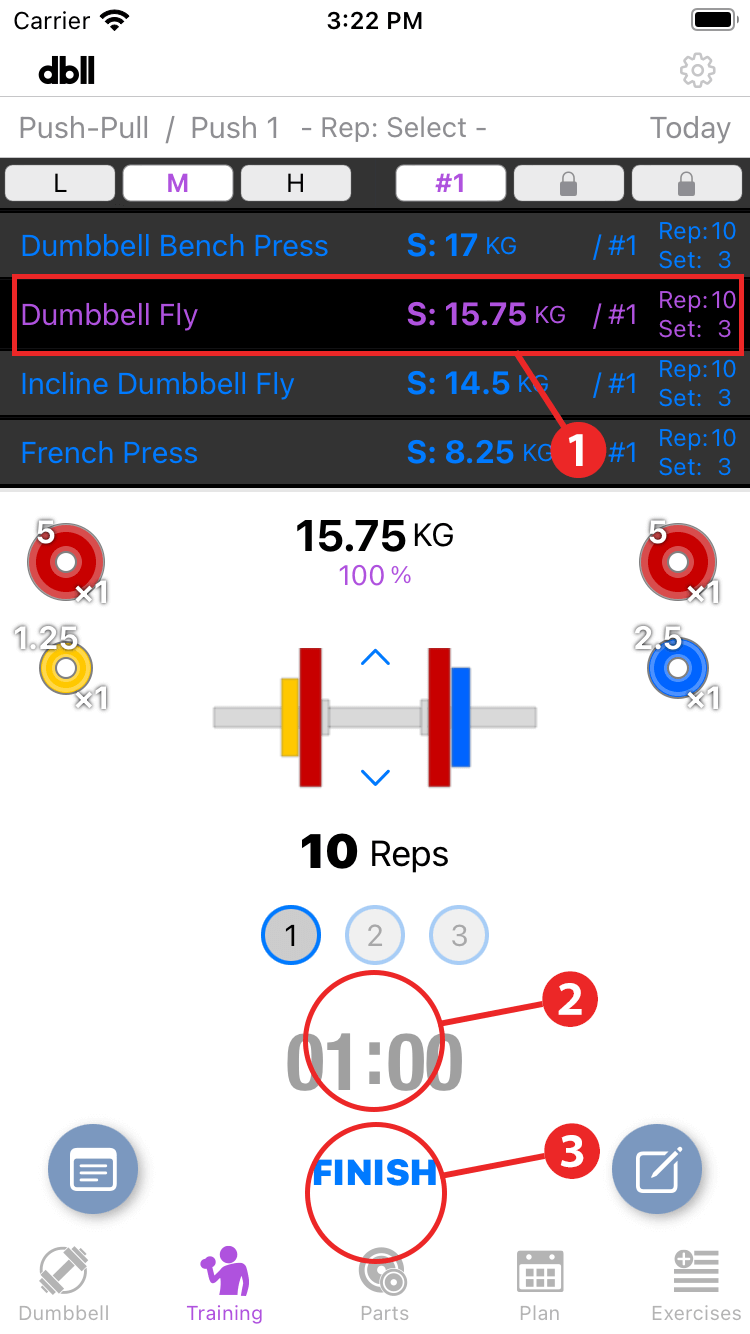
- When the first exercise is completed, the system automatically moves on to the next exercise.
- Tap the timer display to start or stop the timer, and double-tap to reset it.
- This test is only the first exercise. Tap "Finish" to end the training.
The first exercise completed is automatically recorded and checked.
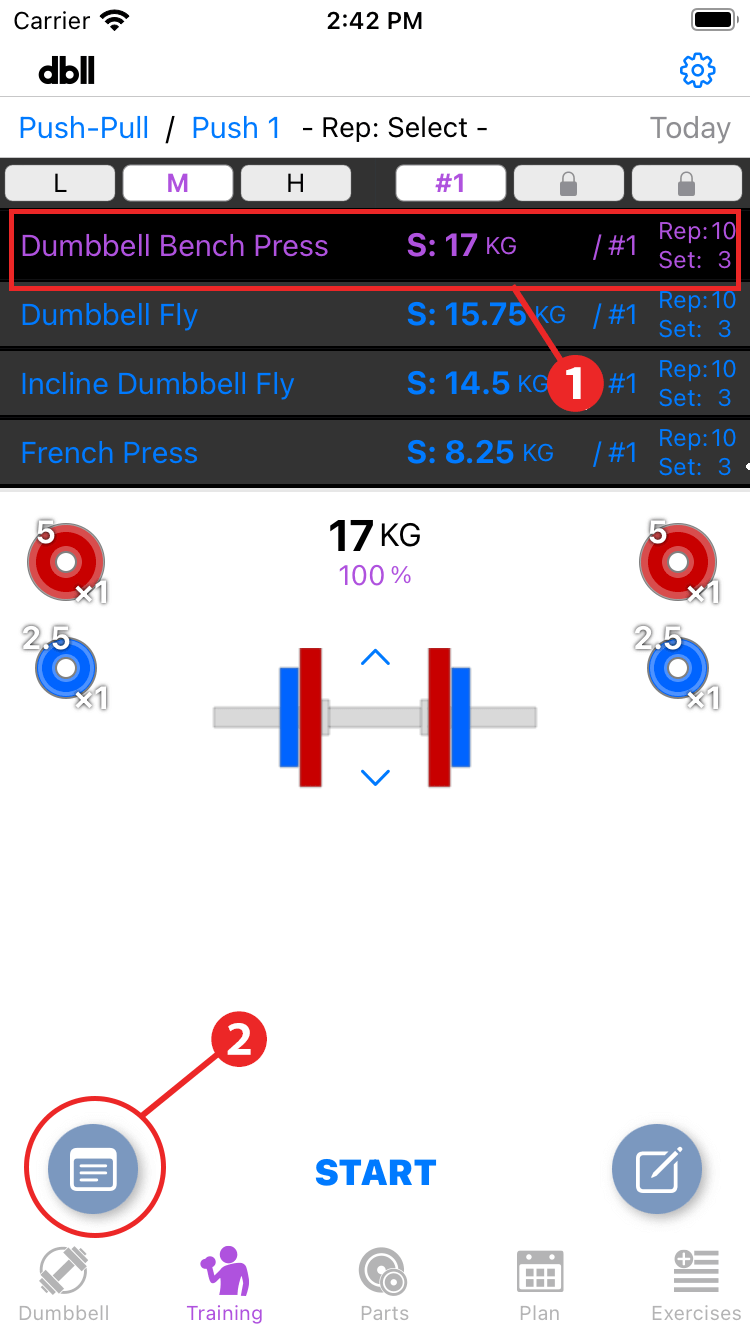
- Tap the first exercise in the exercise list to select it.
- 2. Tap the "Record button" to open the record display screen for the selected exercise.
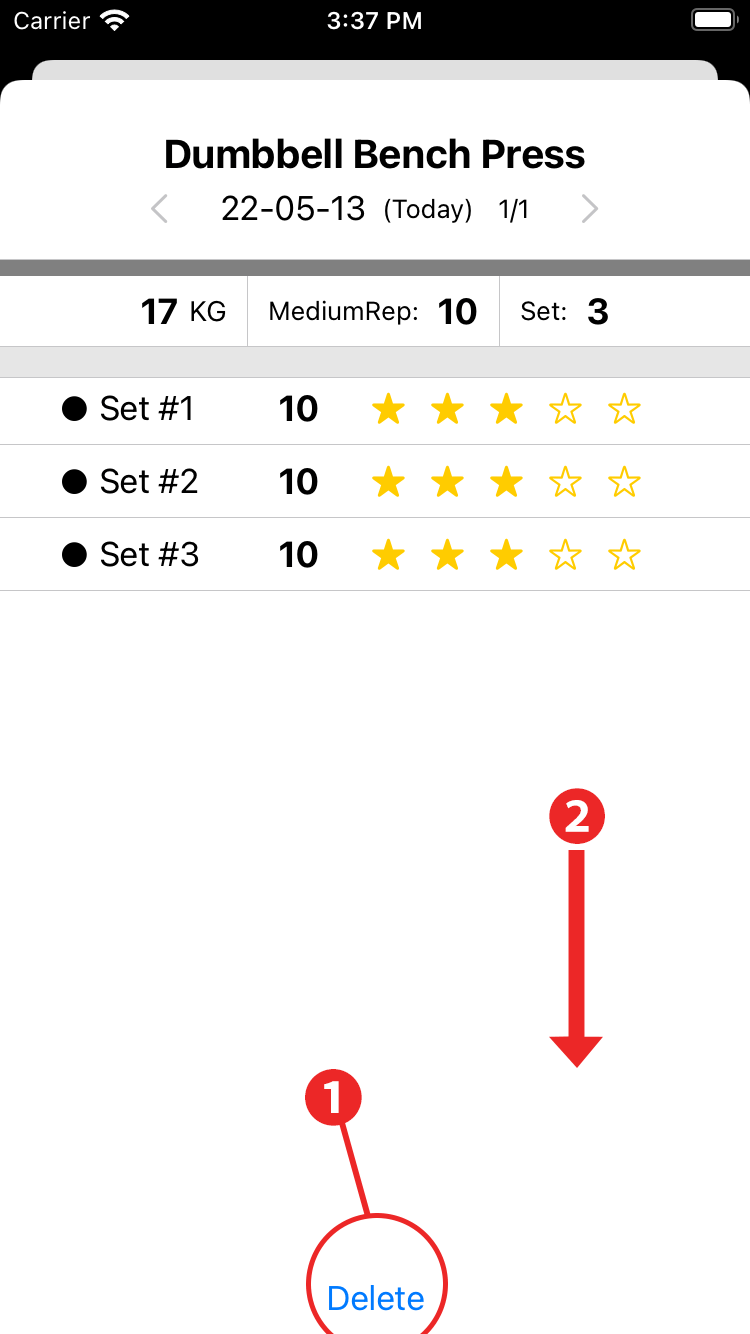
- This record has been tested, so tap "Delete" to delete it.
- Swipe down to close the screen.