
Quick startRegister parts set
Please follow the steps below to register the parts set.
First, register the shaft.
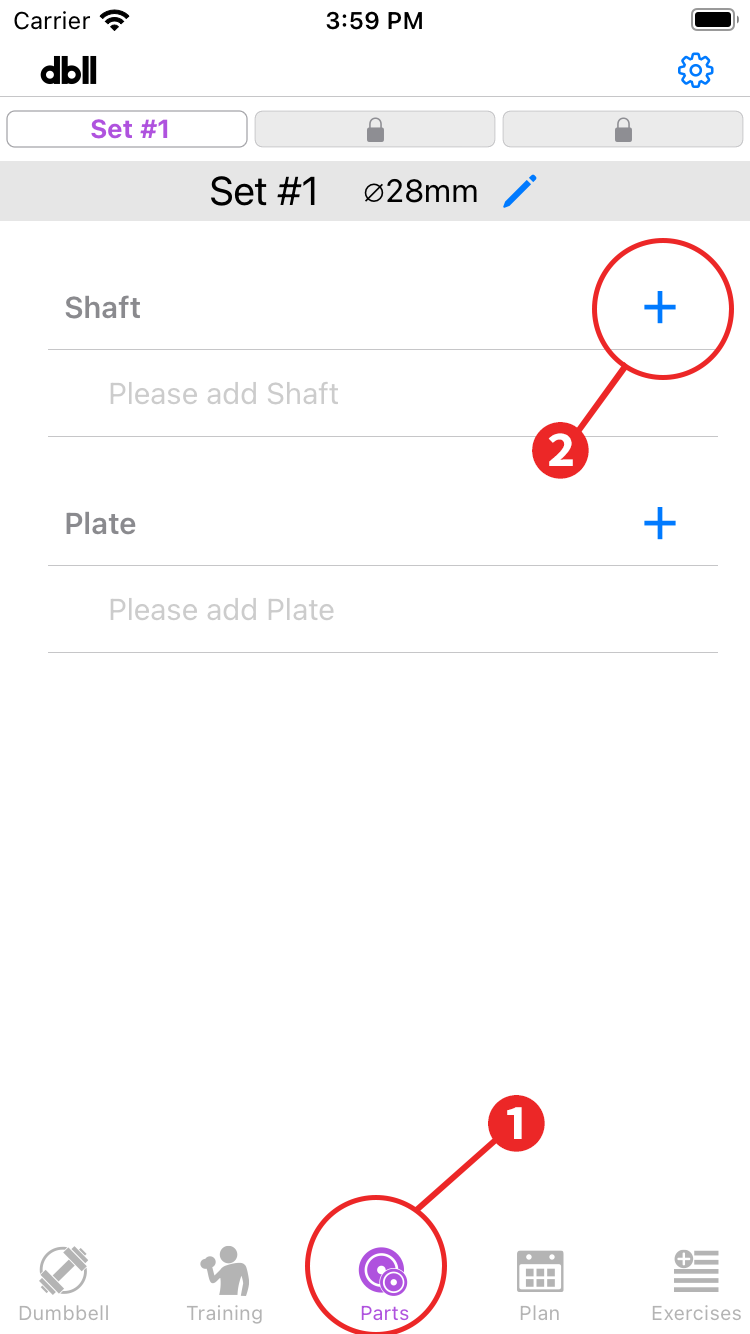
- Tap "Parts" in the menu.
- Tap “+” in the shafts column.
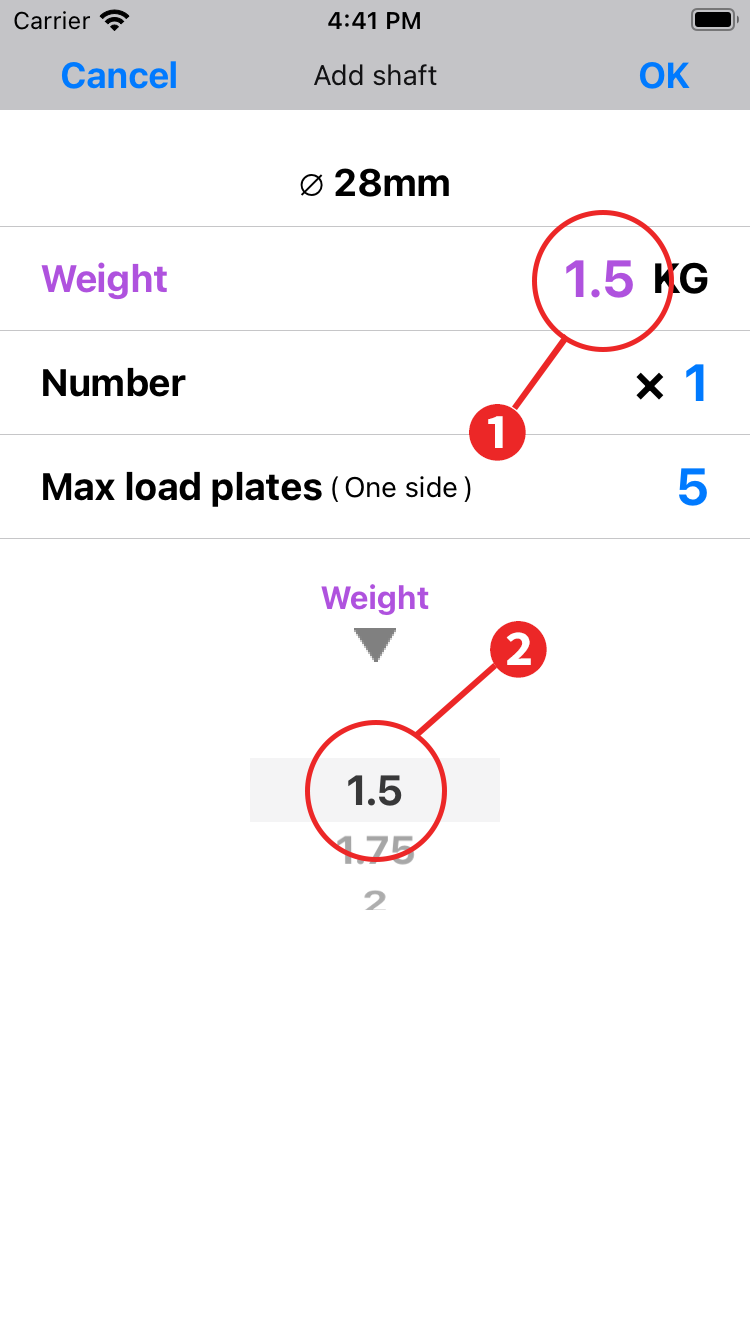
- Tap on the weight display.
- Select the weight of your shaft in the wheel selection: 1.75Kg to 6.5kg in 0.25Kg increments to the nearest weight.
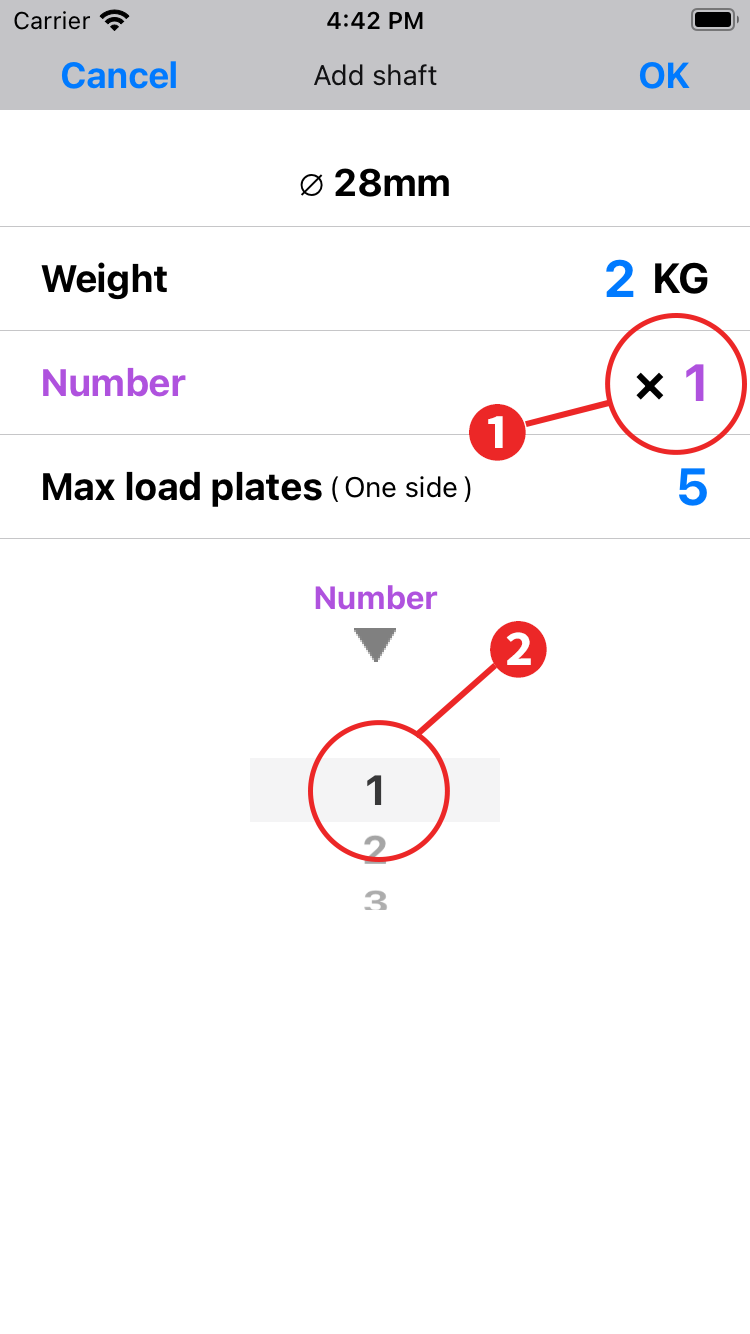
- Tap the quantity display. The wheel selection changes to quantity selection.
- Select the number of your shafts in the wheel selection. Please note that if the quantity is 1, it will be judged as unusable when you specify to use two dumbbells.
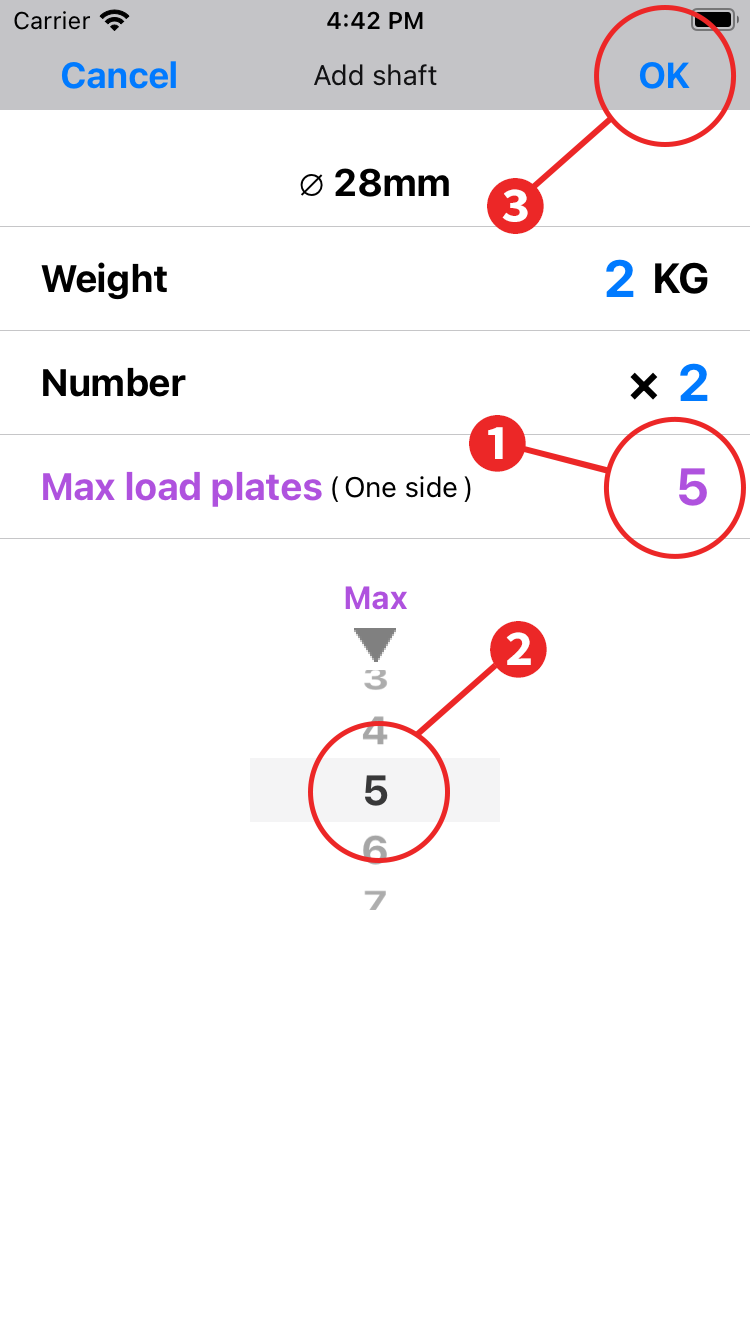
- Tap the max load plates display area. The wheel selection section changes to select the max load plates.
- Select the number of max load plates in the wheel selection. The max load plates is the maximum number of plates that can be mounted on one side of the shaft.
- Check the weight, quantity, and max load plates, and tap "OK" to complete the shaft registration.
- The quantity and max load plates can be changed later.
-> To Edit parts - If you accidentally register the shaft, please delete it.
-> To Delete parts
The next step is to register plates. Register as many plates as there are weight types.
The order of registration is free. The list is automatically sorted by weight.
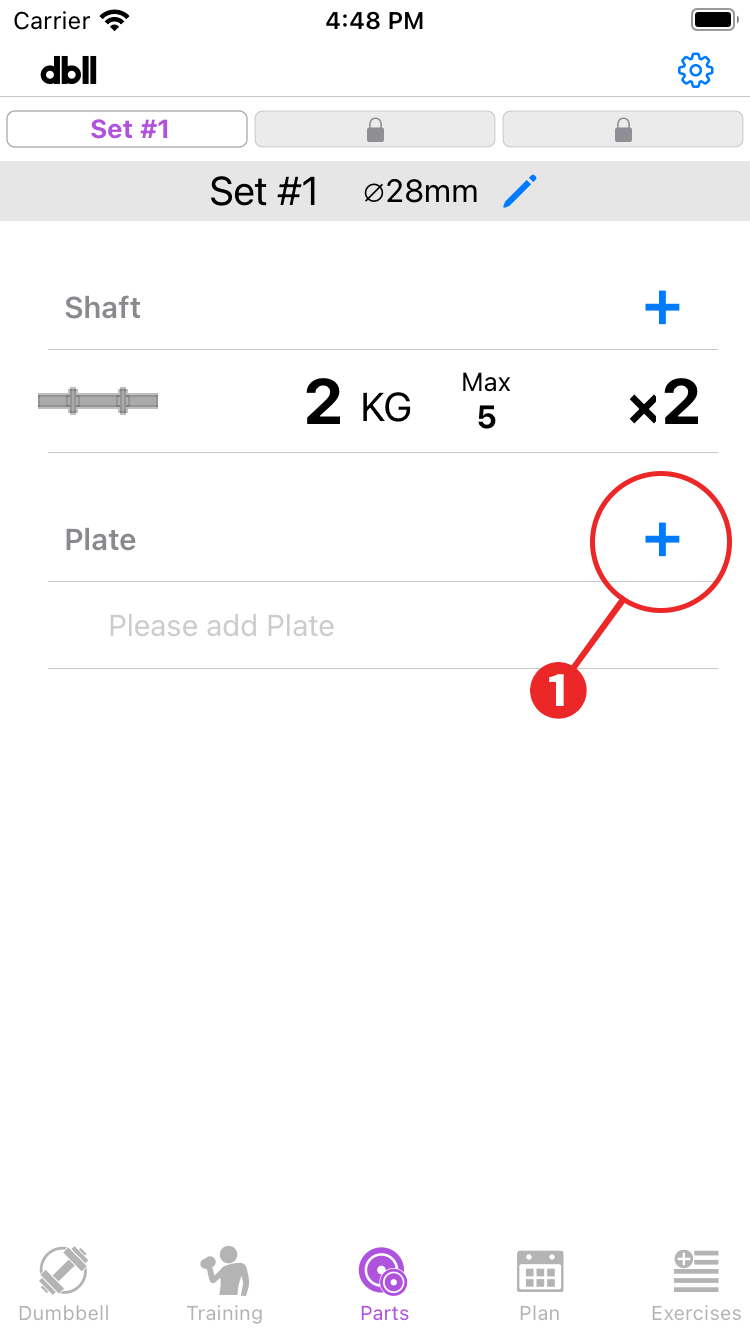
- Tap “+” in the plates column.
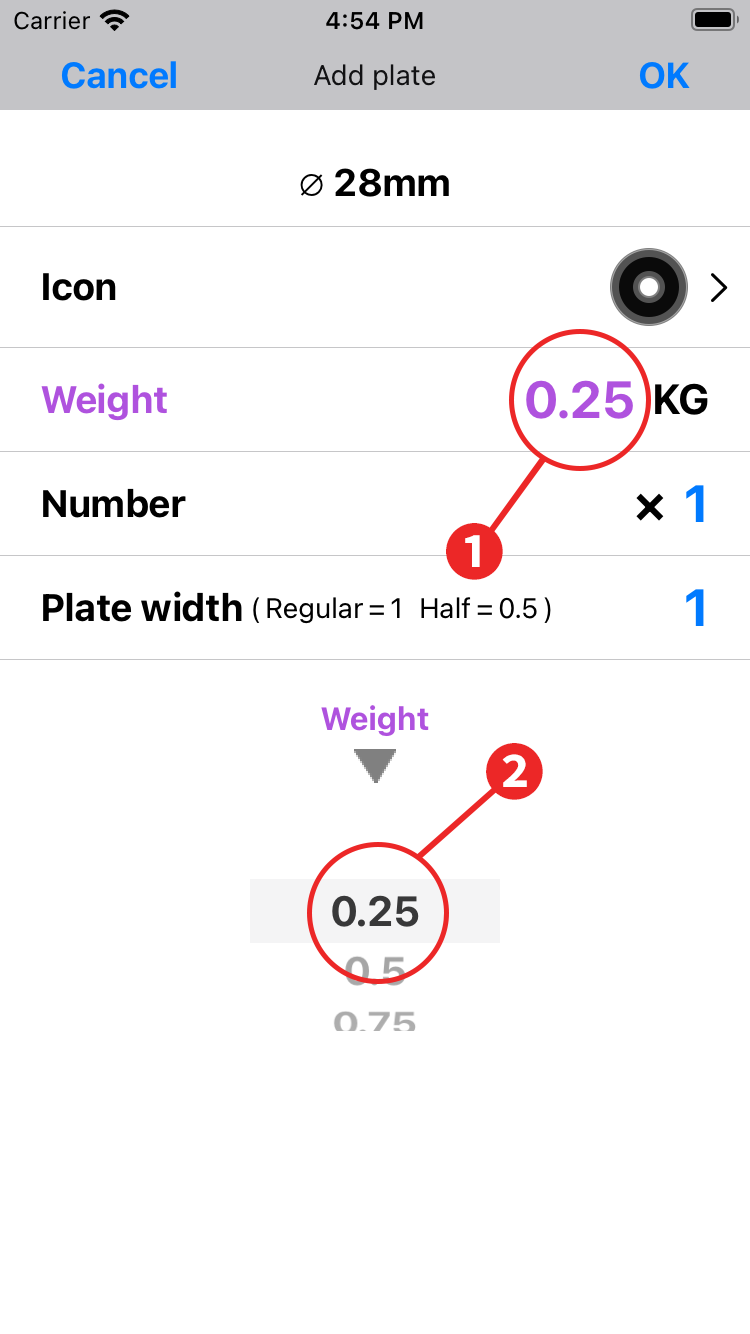
- Tap on the weight display.
- Select the weight of your plate in the wheel selection: 0.25Kg to 5kg in 0.25Kg increments to the nearest weight.
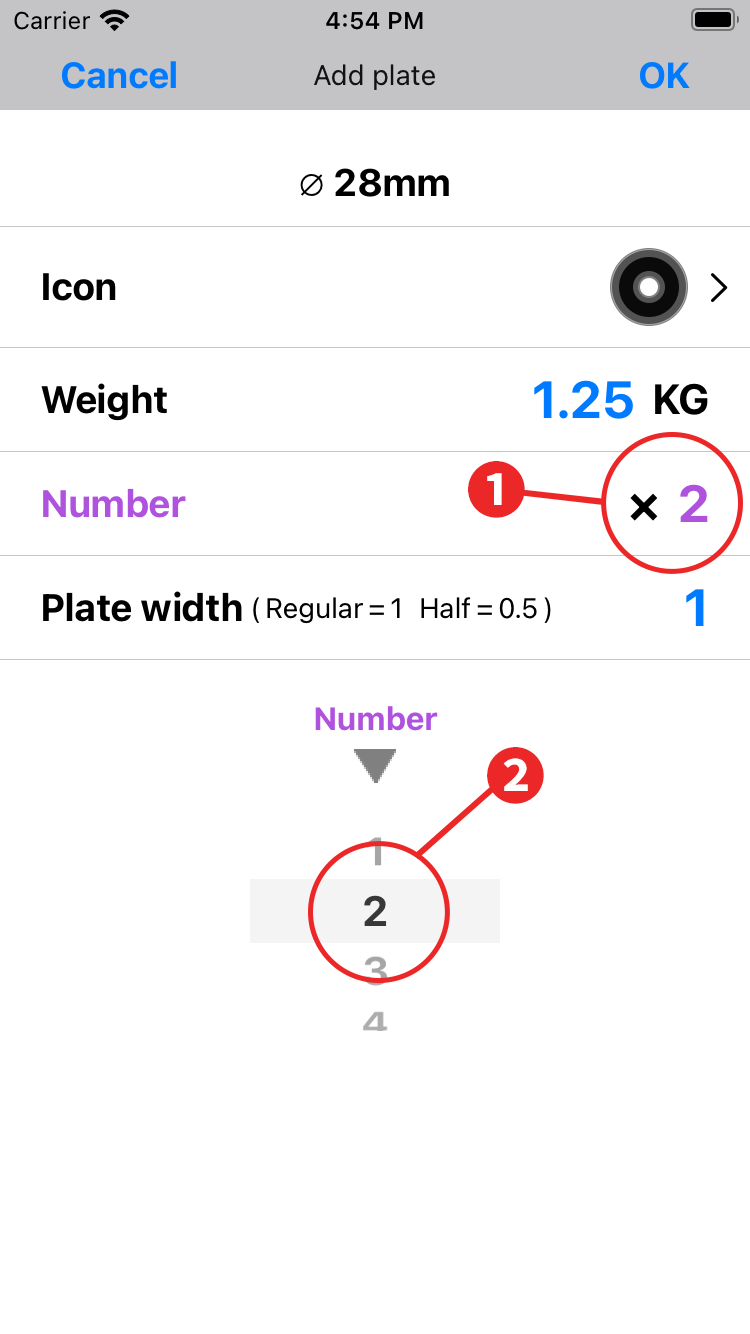
- Tap the quantity display. The wheel selection changes to quantity selection.
- Select the number of your plates in the wheel selection.
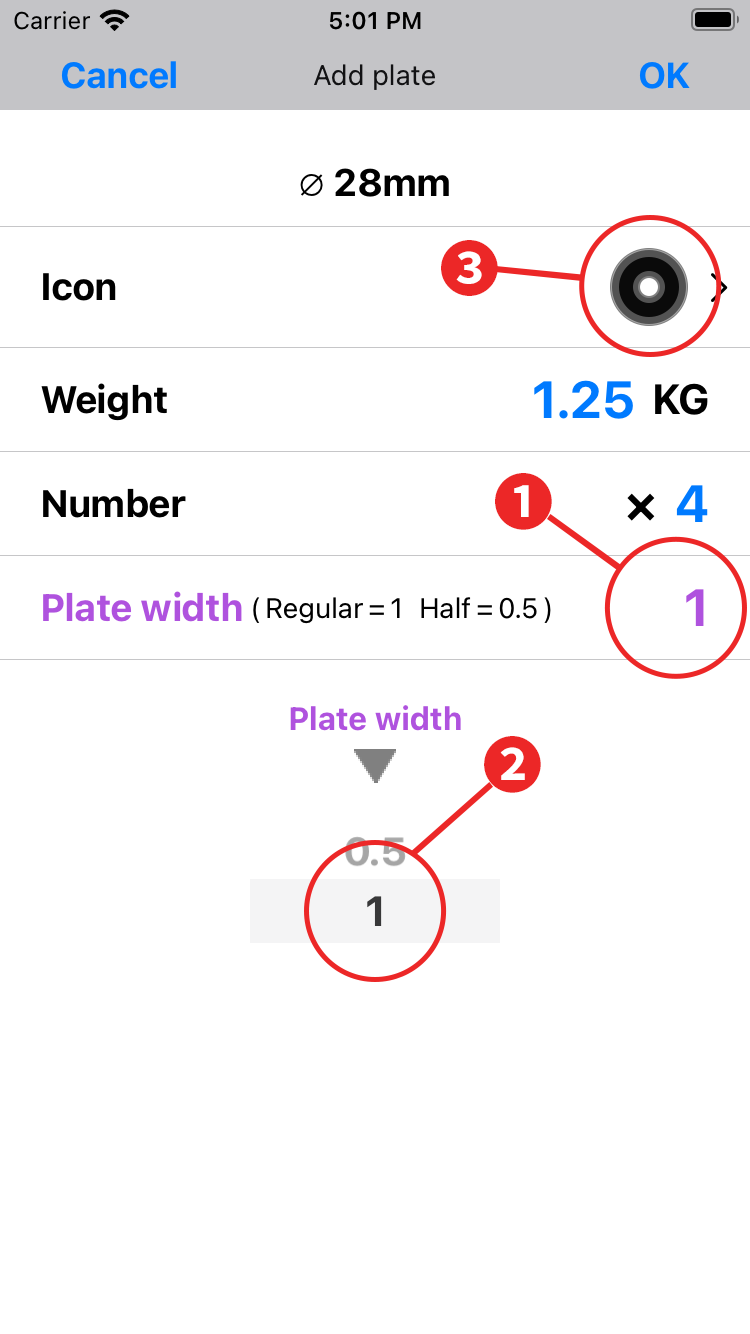
- Tap on the plate width display. The wheel selection changes to plate width selection.
- Select the plate width of your plates in the wheel selection. The plate width is 1 for normal plates and 0.5 for half-width plates.
- Tap the icon display to move to the icon setting screen.

- Select the size of the icon.
- Select the color of the icon.
- Tap “Back”.
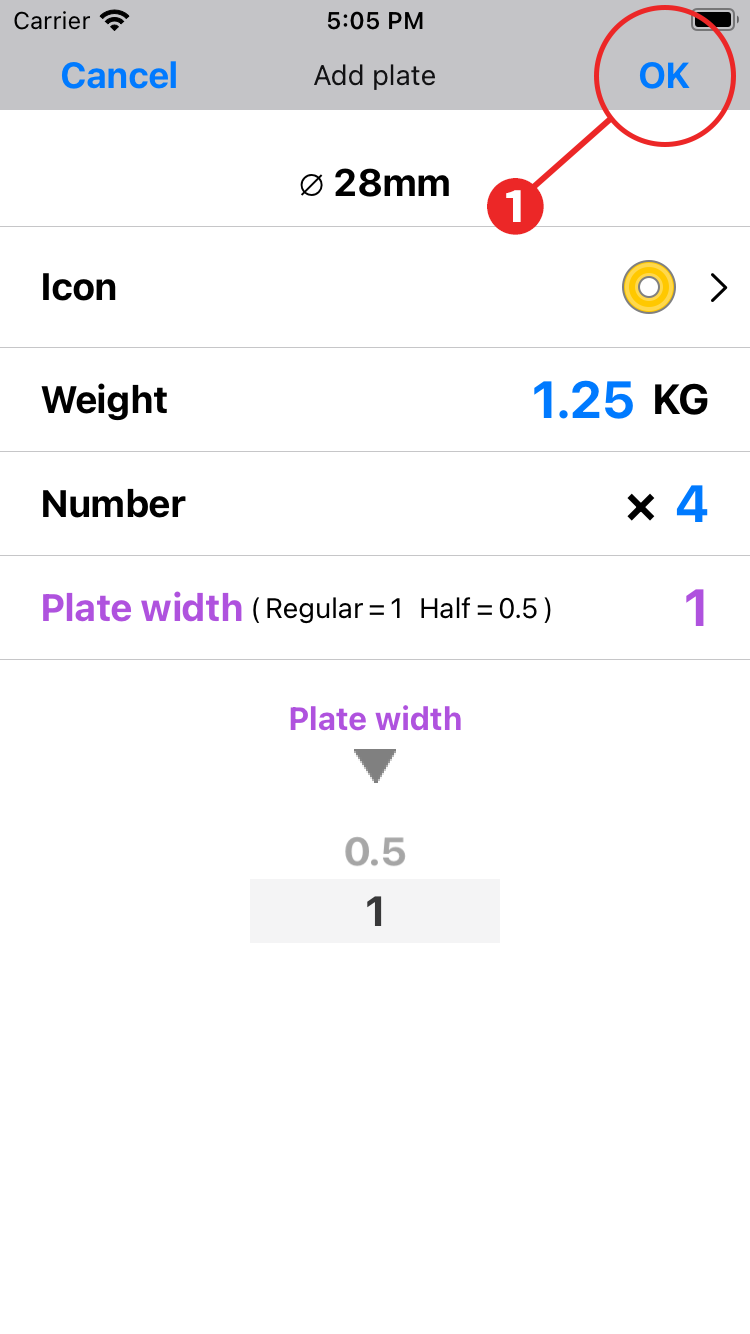
- Check the icon, weight, quantity, and plate width, and tap "OK" to complete the registration of the first plate.
- The icon, quantity and max plate width can be changed later.
-> To Edit parts - If you accidentally register the plate, please delete it.
-> To Delete parts

- Repeat the above steps for each plate weight type.
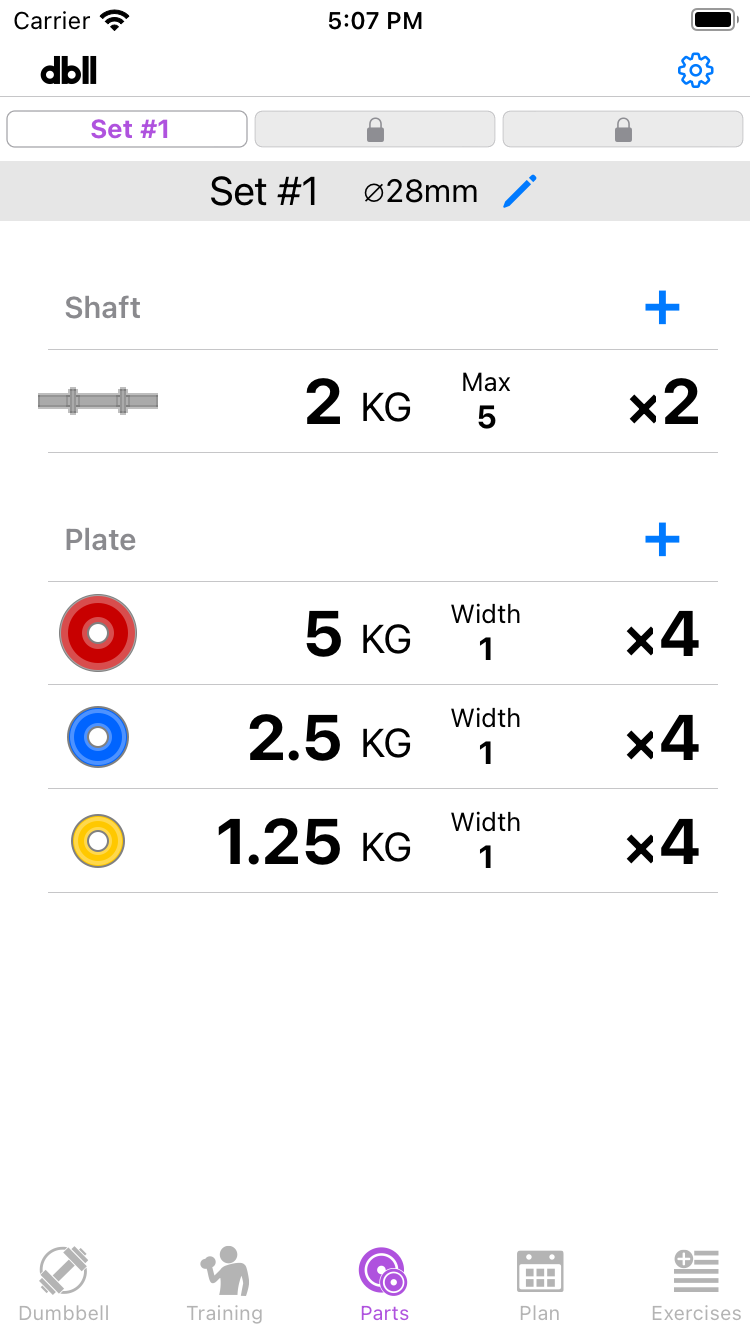
After registering all the parts, let's check the weights of the dumbbells available.