
Menu itemexercises
Explanation of the exercises screen in the menu.
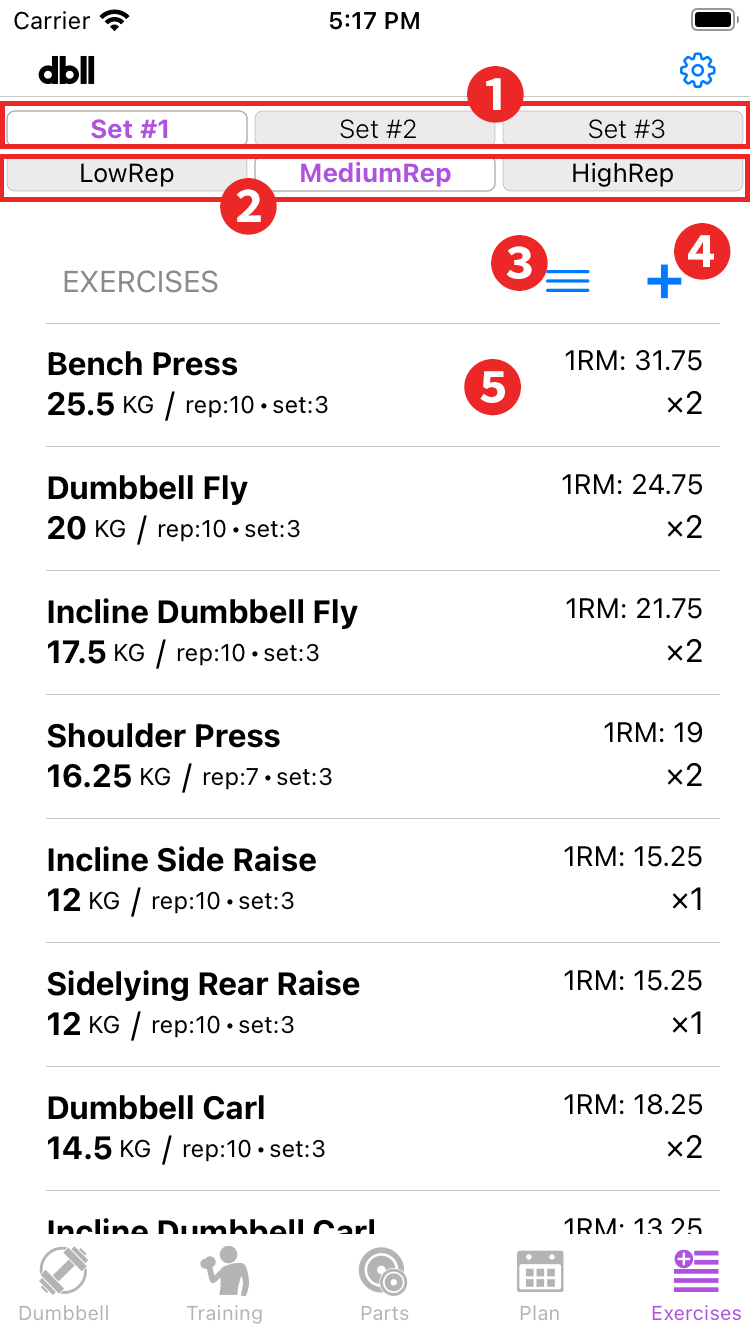
- Parts set switching: You can use it by purchasing "3 parts sets" with in-app purchase. By switching, the information in the "Exercise list" changes according to the selected parts list.
- Rep mode switching: By switching, the information in the "Exercise list" changes according to the selected rep mode.
- Edit mode button: Tap to go to edit mode. The "Rearrange,” "Delete," and "Exit edit mode" in the edit mode are common to the other edit mode.
- Add button: Tap to go to the screen to add a new exercise. Add new exercise
- Exercise list: The registered exercises will be displayed. Tap an item on the list to go to the edit screen. There, you can edit the list items except for the "Type" option under "Add new exercise.
Press and hold an item on the list to view and edit the history of that exercise. History
Add new exercise

- Exercise Name: Enter an exercise name. You can choose a preset exercise name from the "Select from list" option.
- Type: Select from the following three types
▶︎ Dumbbell: Exercises using dumbbells with interchangeable plates.
▶︎ Weights: Exercises using weights other than "dumbbell".
▶︎ Other: Exercises using body weight without weights.
Dumbbell
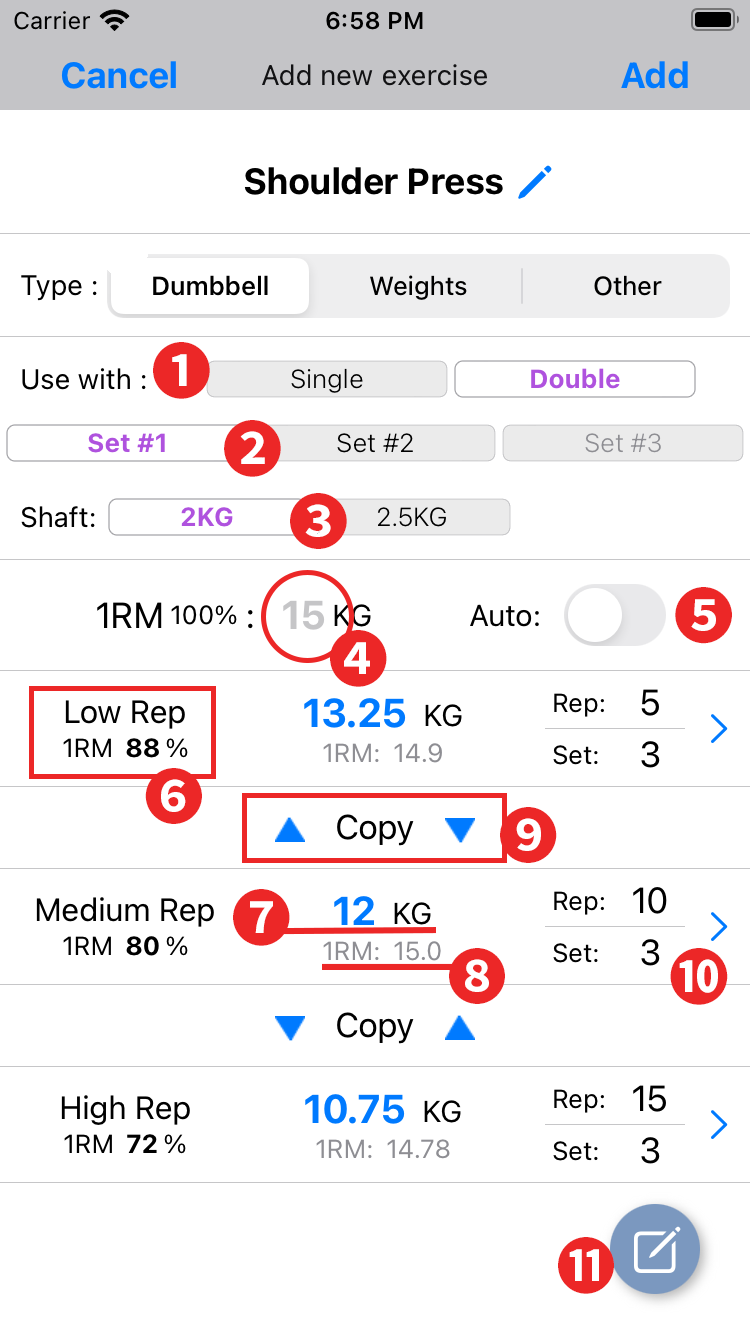
- Use with: Select the number of dumbbells to be used in the exercise.
- Parts set switching: You can use it by purchasing "3 parts sets" with in-app purchase. You can set the weight to be used for each parts set.
- Shaft: Select the shaft to be used when multiple shafts are registered in the parts set.
- 1RM: When "Auto" is on, tap to select 1RM. When "Auto" is off, 1RM is set based on the weight and number of reps when the weight is changed in each rep mode.
1RM is the maximum weight that can be raised in one rep (one time). - Auto: If you know the 1RM for the exercise, turn it on and select 1RM and the weight for each rep mode will automatically set for each rep.
- Rep mode / 1RM percentage: Displays the percentage of weight to 1RM calculated for the number of reps in that rep mode. For example, 5 reps is 88% and 10 reps is 80%.
- Use Weights: Turn off "Auto" to use. Tap to manually set the weight to be used in each rep mode and select the weight with the wheel. The weight that can be selected is the weight of the dumbbells available in the selected parts set. Note that the available dumbbells will change depending on whether you select single or double dumbbells in the “Use with” field.
- 1RM: The 1RM calculated from the weight and reps selected for that rep mode is displayed here, and the 1RM is set to "1RM" in 0.25 kg increments close to that value.
- Copy: Copies 1RM in the direction of ▲▼. (There is a decimal point error in the calculation.) Set the number of reps to be copied in advance before copying. The weight of the destination rep mode is automatically set according to the number of reps in that rep mode.
- Rep / Set: Tap to set in the dialog box that appears.
- Memo button: Displays the "Edit Exercise Notes" screen. This is the same as the "Training" screen.
Weights
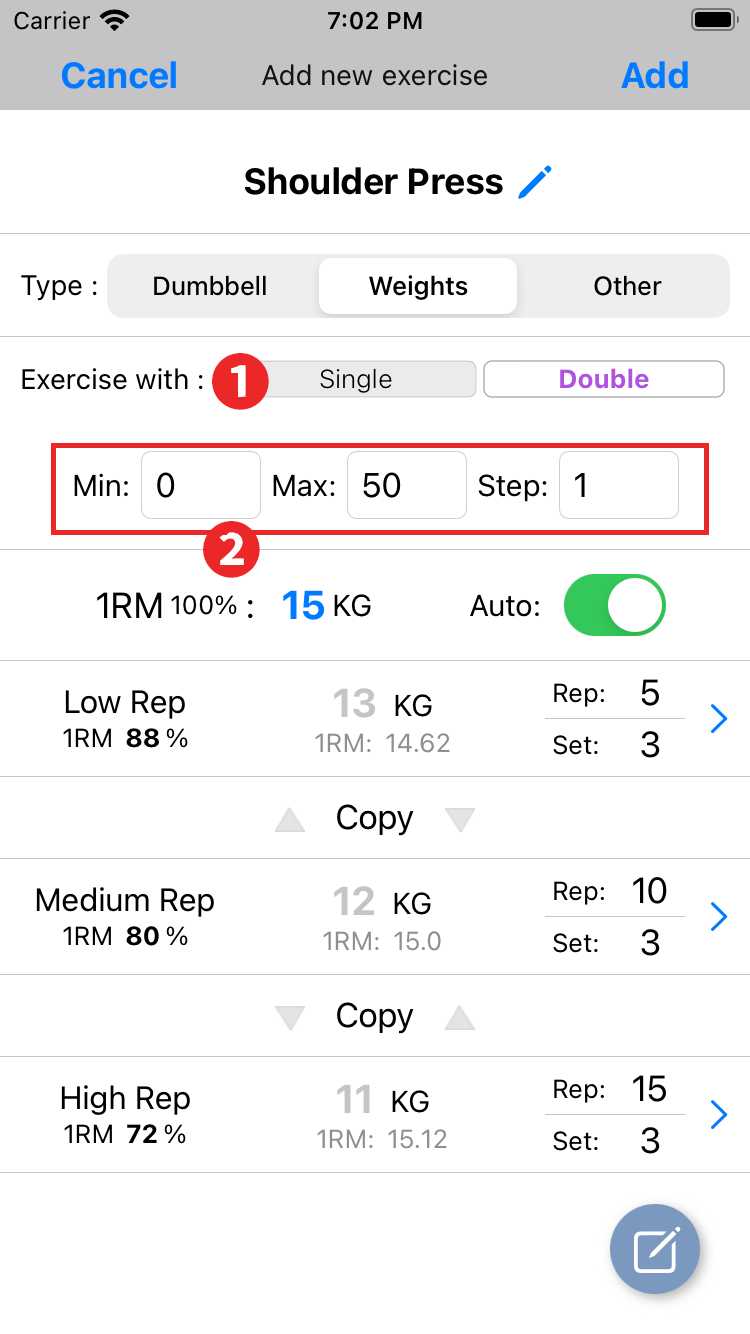
- Exercise with: Select the movement in the exercise. Single for exercises performed separately on the left and right sides, double for exercises performed simultaneously on the left and right sides.
- Set the weight range to be selected in the next item.
Min: Sets the minimum value for the selected weight.
Max: Sets the maximum value of the selected weight.
Step: Sets the interval between the selected weights in kilogram increments (0.5 for 500 g).
Other settings are the same as for "dumbbell".
Other
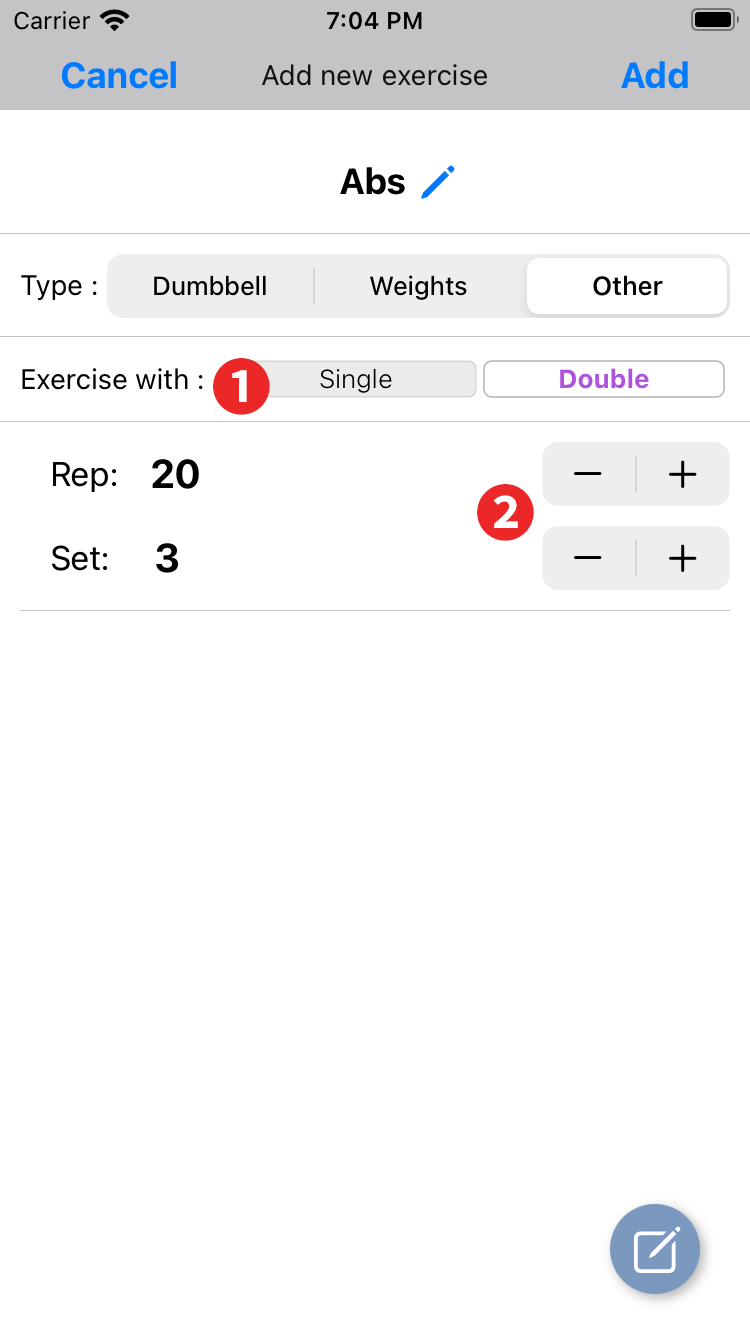
- Exercise with: Single for exercises performed separately on the left and right sides, double for exercises performed simultaneously on the left and right sides.
- Rep / Set: Set the number of reps and sets.
History
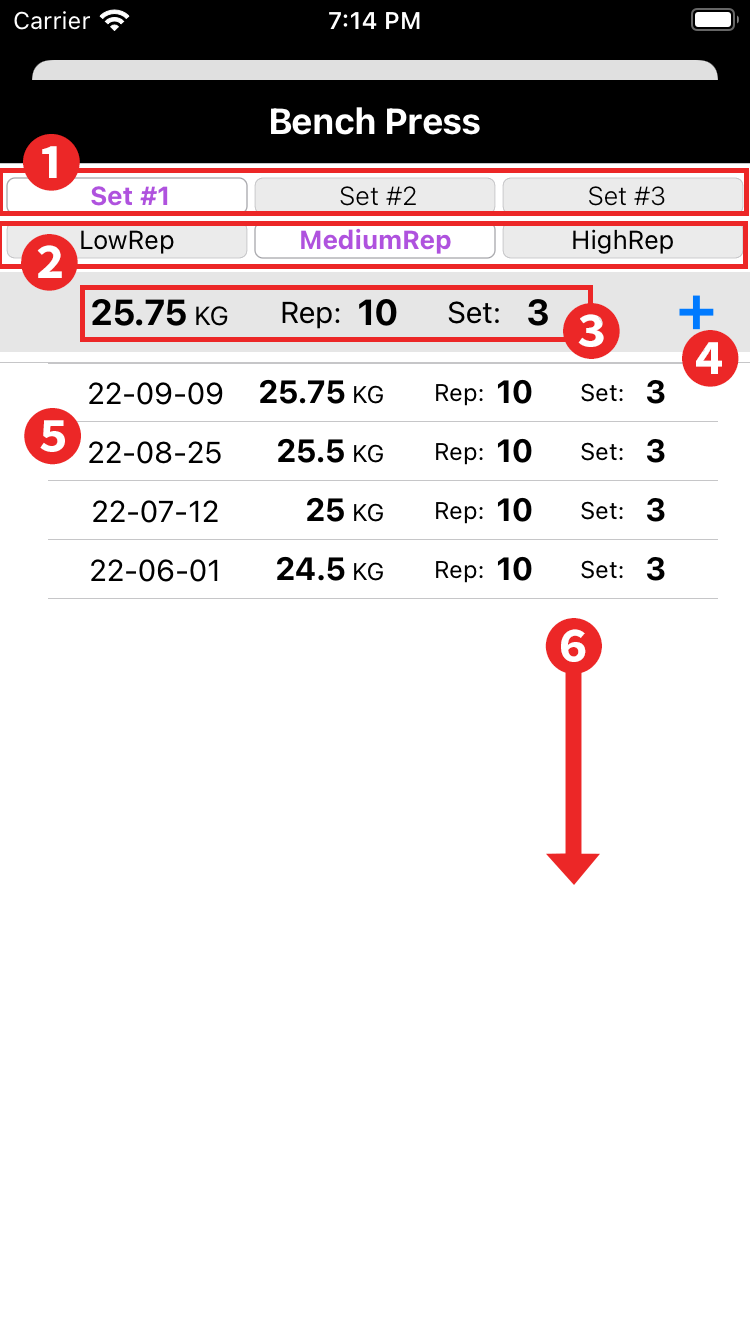
- Parts set switching: You can use it by purchasing "3 parts sets" with in-app purchase. By switching will display the weight, reps, and sets set for the selected parts set. Exercise types other than "Dumbbells" will not be displayed.
- Rep mode switching: By switching will display the weight, reps, and sets set for the selected parts set. Exercise type is “Other” will not be displayed.
- Current Weight, Reps, and Sets: Displays the current weight (except for exercise type "Other"), number of reps, and number of sets.
- Add button: Add the current weight (other than "Other" exercise type), reps, and sets to the history list along with the date.
- History list: Only dates can be edited by tapping on them. To delete a history, swipe left on that item.
- Swipe down to close the screen.