
Quick startRegister exercises
Example is 'Dumbbell Bench Press' with 8 medium reps, 2 sets and 17Kg weight registration.
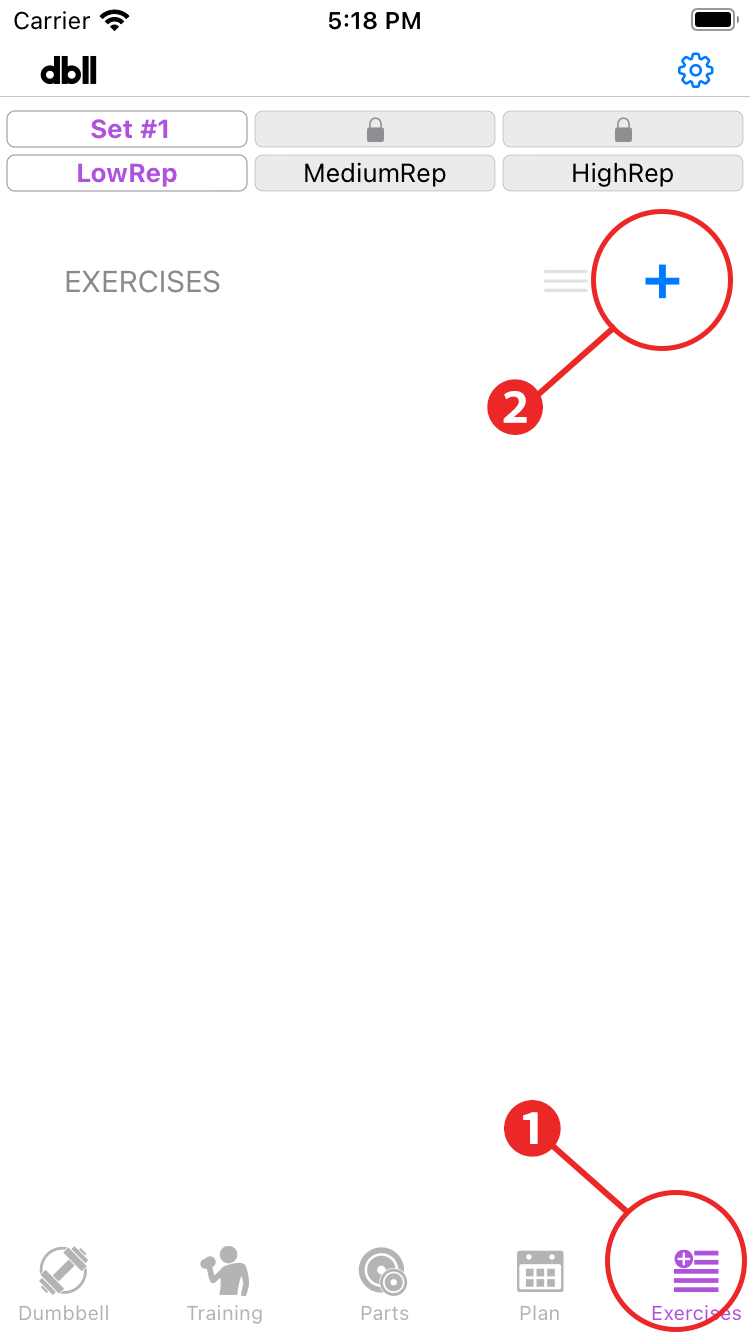
- Tap “Exercises” in the menu.
- Tap ”+”. The new exercise screen will open.
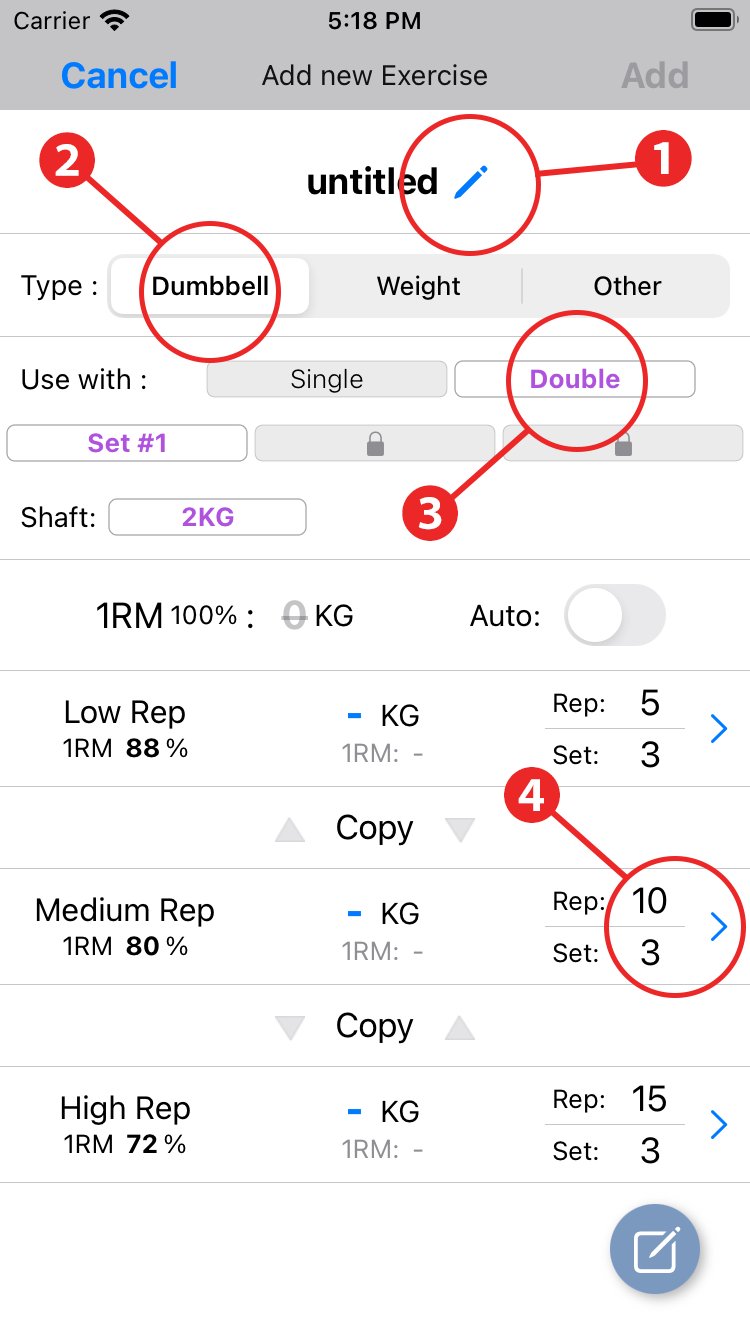
- Enter the exercise name. You can also select the name of an exercise provided in the "Select from a list" section.
- Select "dumbbell" in Type.
- Select “double” in Use with
- Set the number of reps and sets for medium reps.
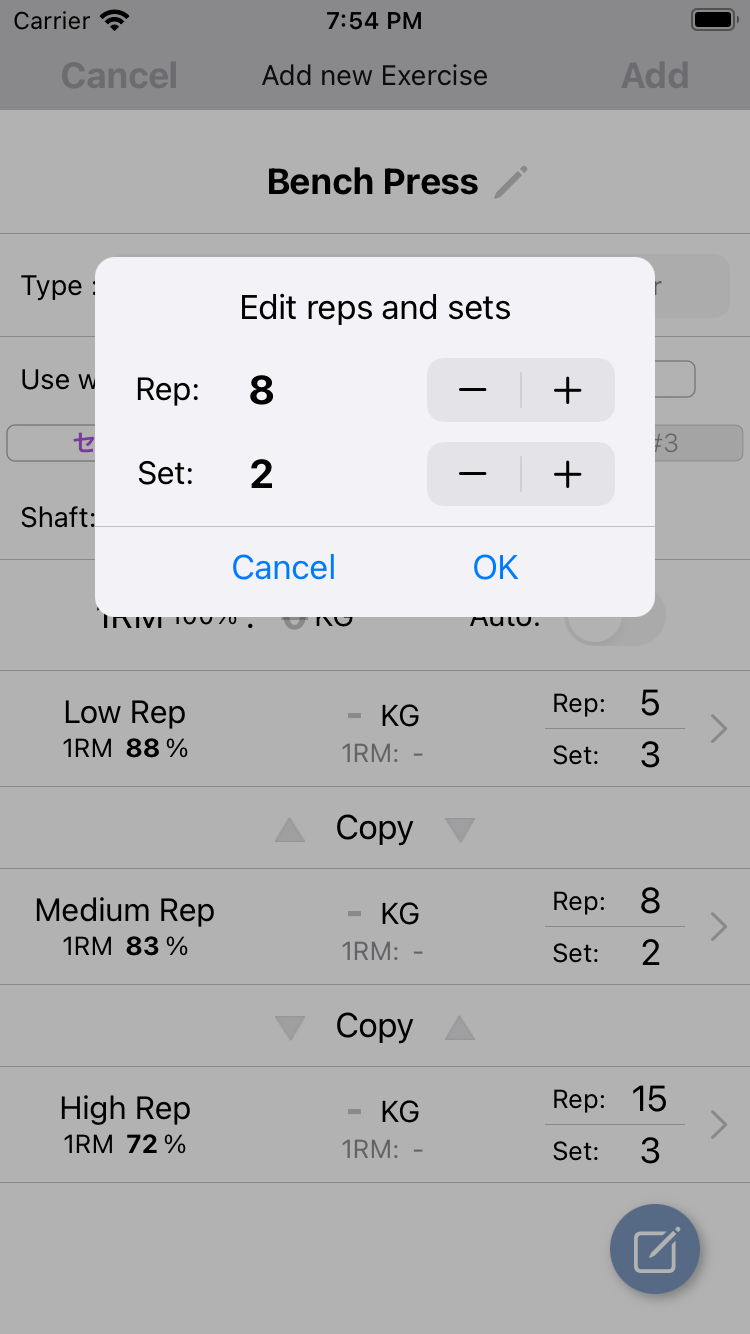
Set the number of reps and sets.
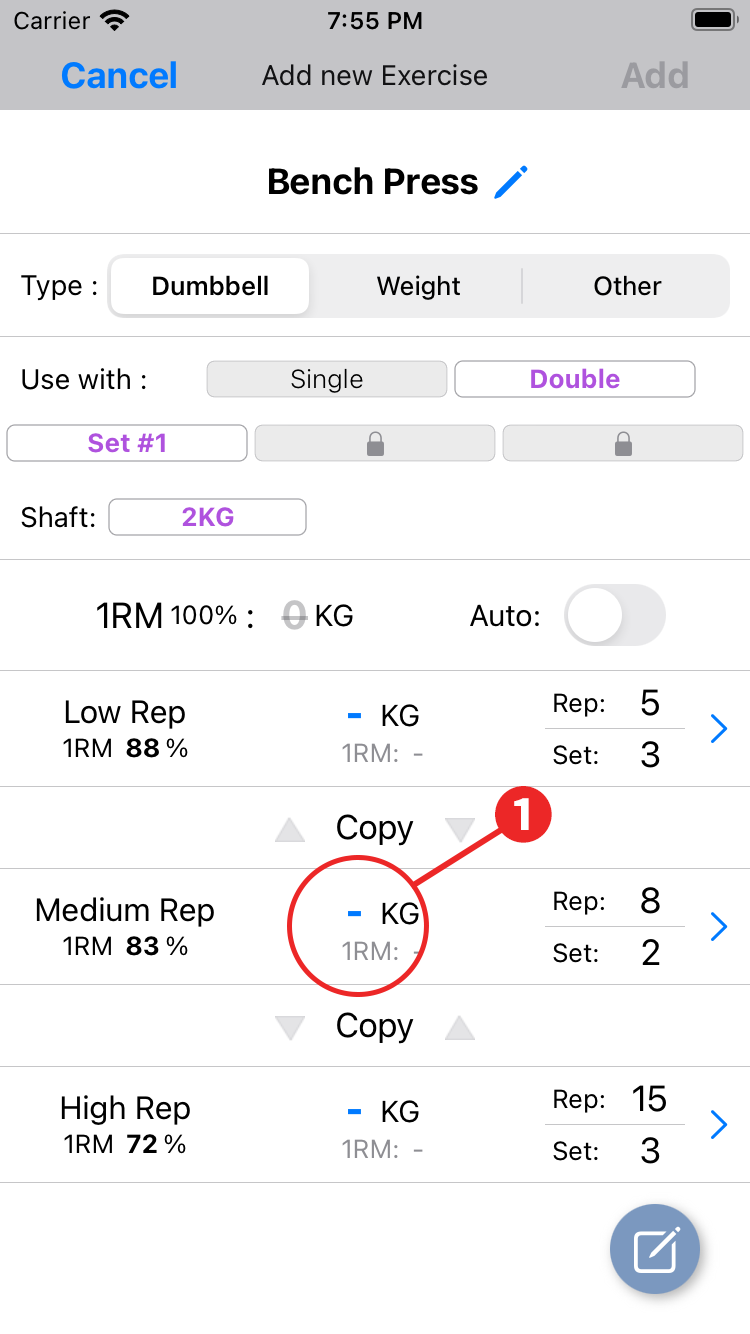
- Tap the weight display of Medium Rep and select the weight from the available weights.
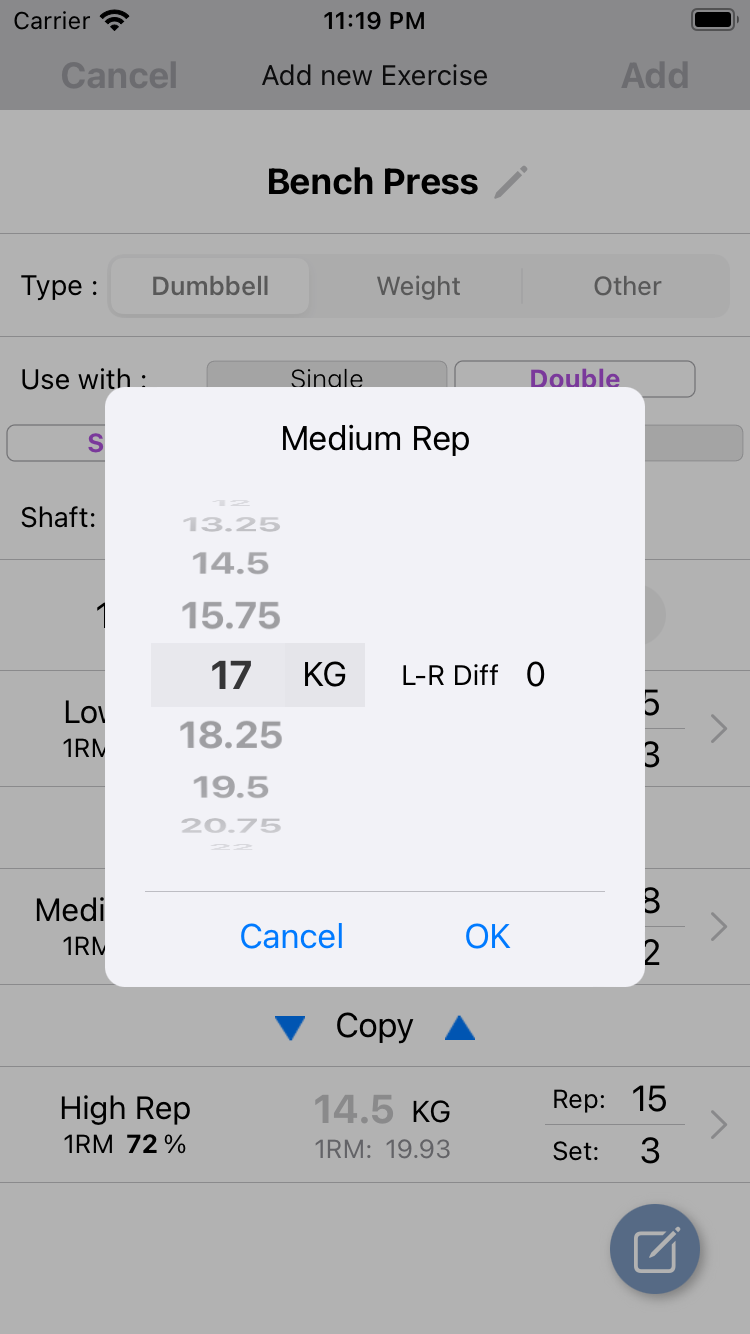
Select the weight from the wheel.
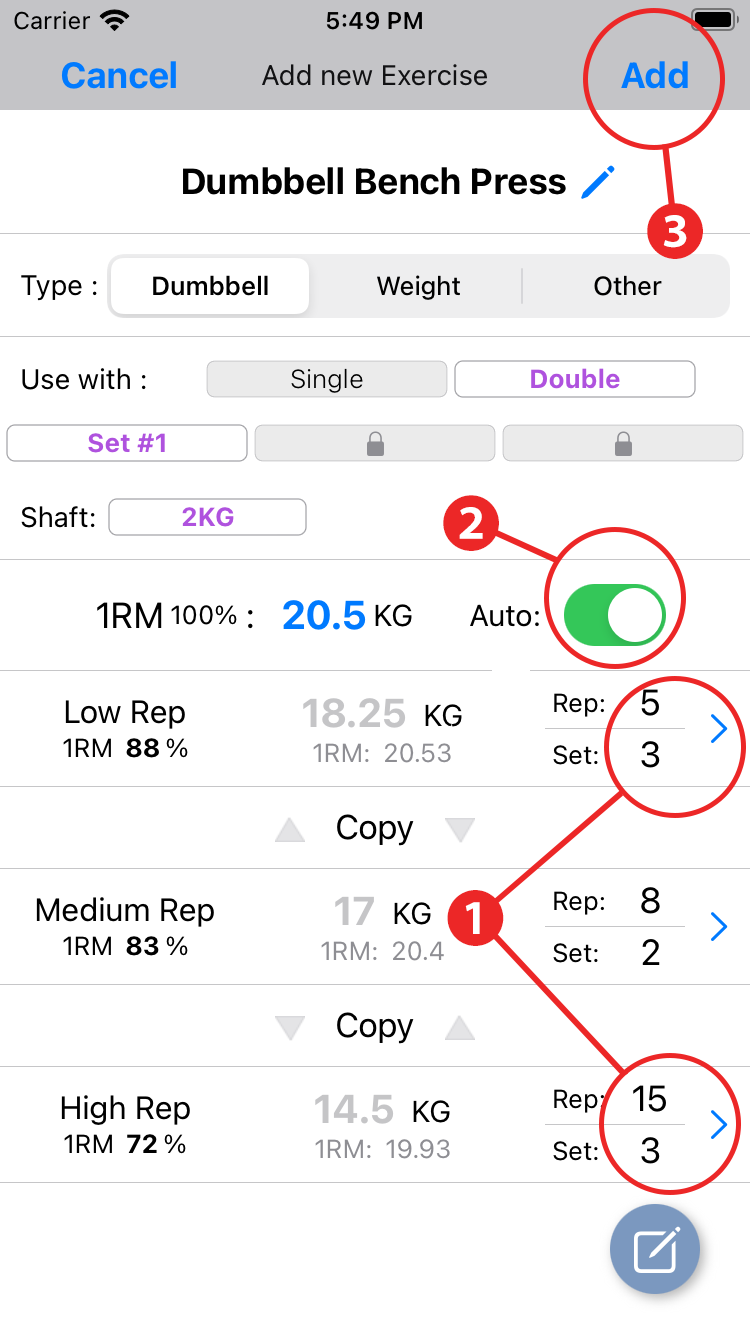
- When setting the weight of low rep and high rep, set the number of each rep in advance.
- Tap the 1RM auto button to automatically calculate and set the weight of low rep and high rep.
- Tap the add button to complete the registration.
After this, the dialog "Do you save the changes to history?" Will open. If you want to keep it in the history, tap "Yes".
Repeat the above steps to register for some exercises.
- Settings other than type can be changed later. Tap the exercise you want to edit.
- If you accidentally register the exercise, please delete it. Swipe left on the list.