
Quick startRegister plan
Example is 'Push-Pull' for the split, day 1 is 'Push 1', 4 exercises for that day.
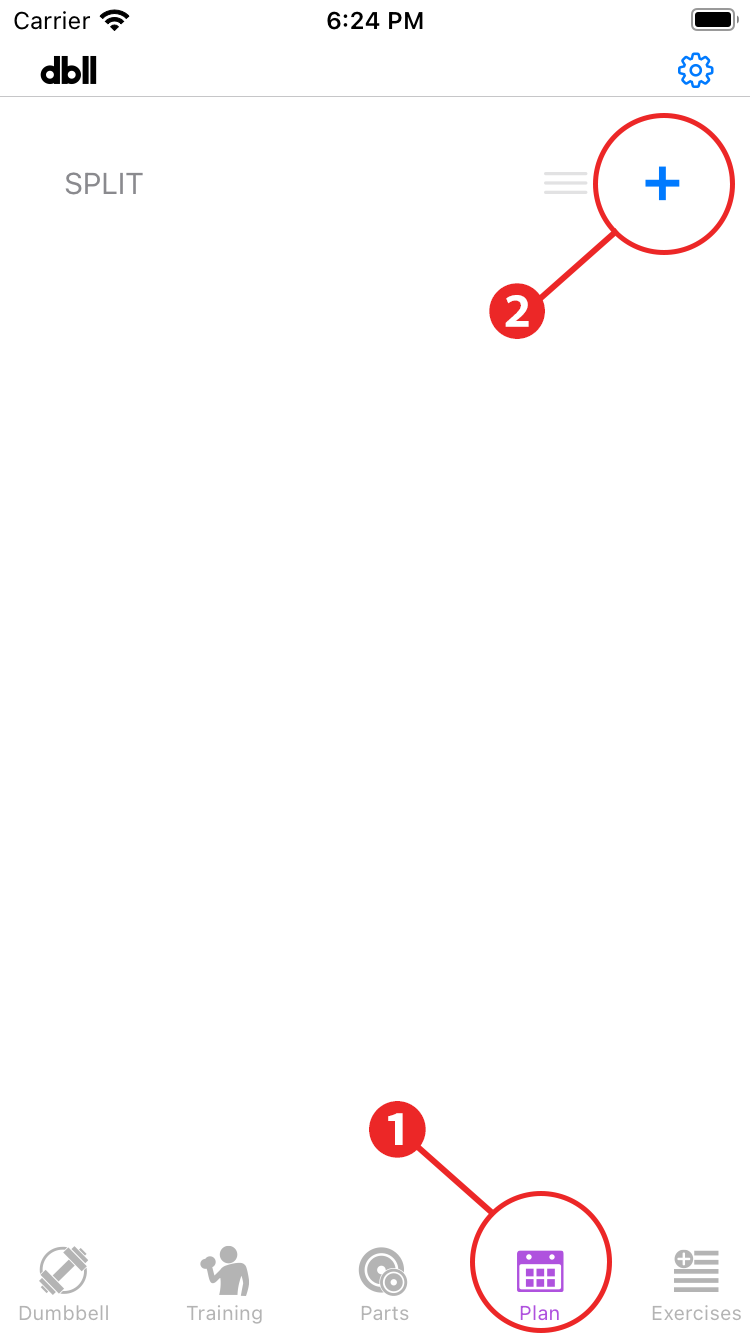
- Tap “Plan” in the menu.
- Tap ”+” to add a split.
- Split include Upper and Lower body, 3-Day, etc., in addition to “Push-Pull".

- Tap the split you created to move to the workout screen.
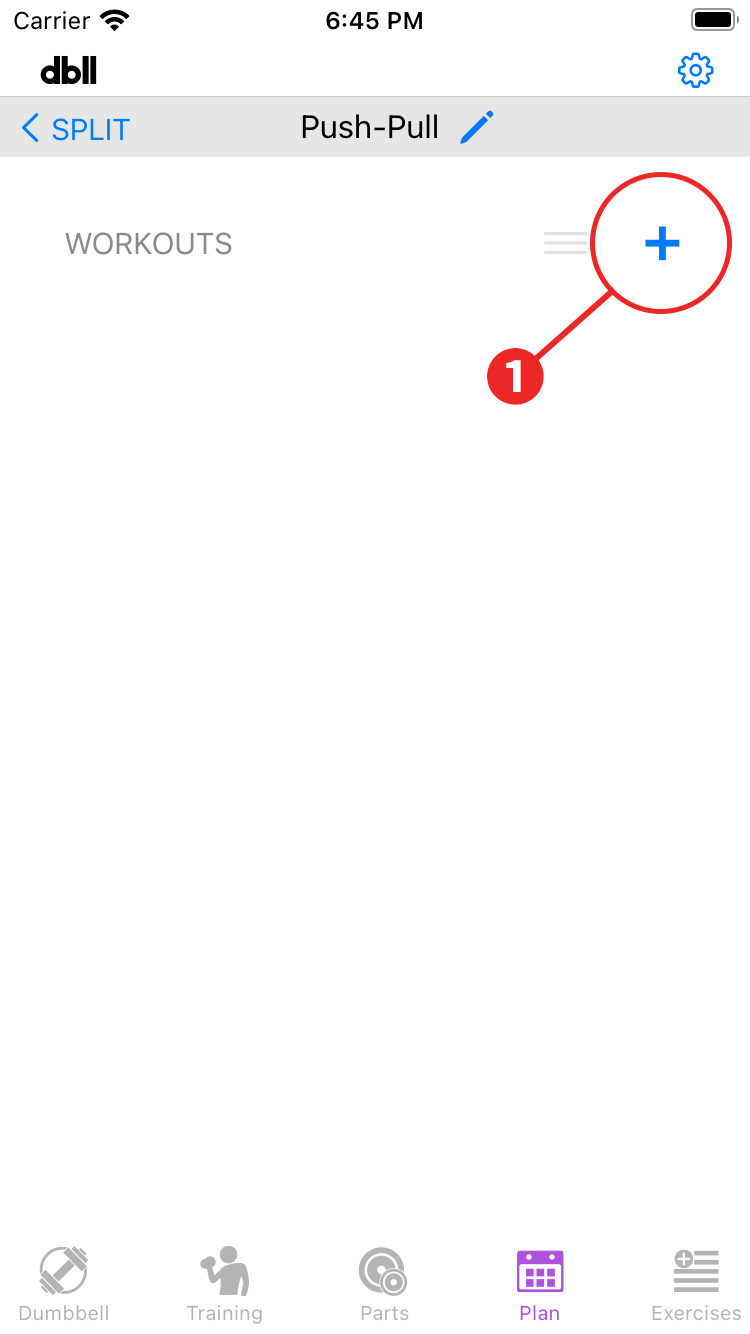
- Tap “+” to give it a name and add the first day.

- Tap the day 1 you created to move to the exercises screen.
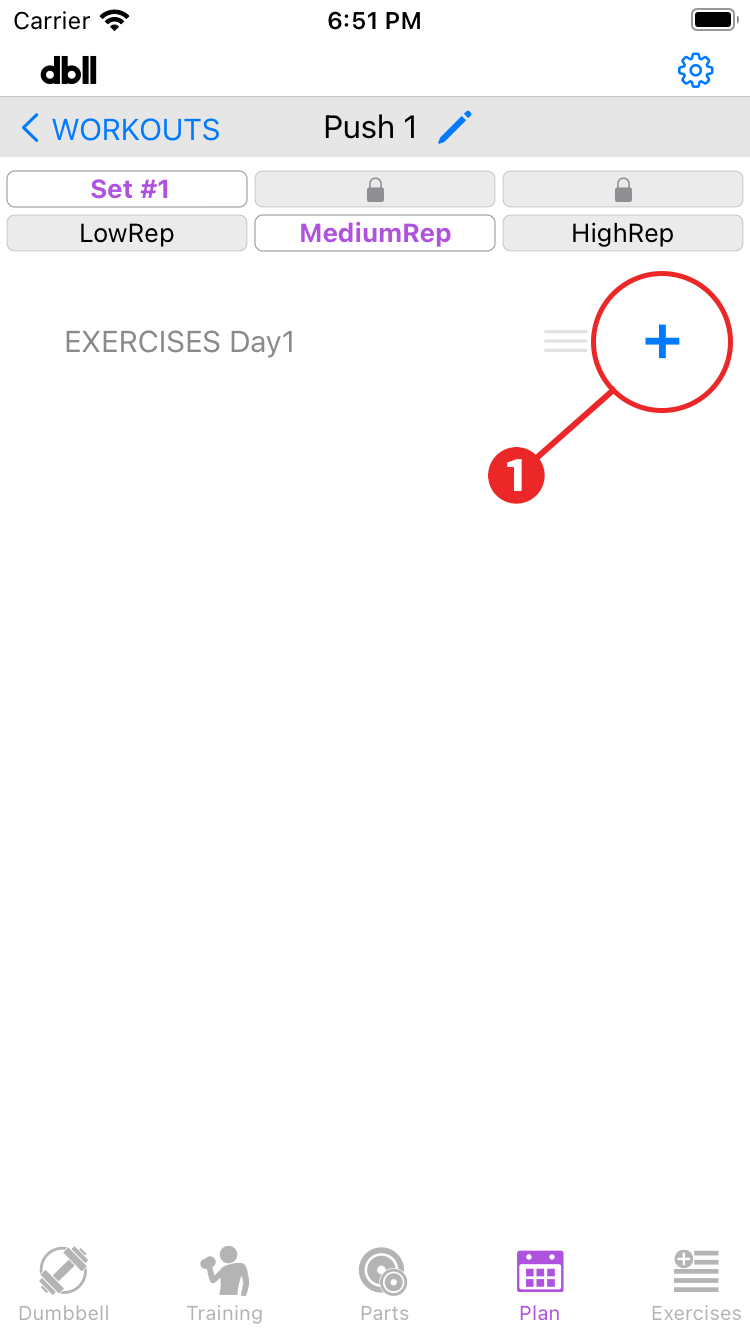
- Tap “+” to display the Add exercises screen.
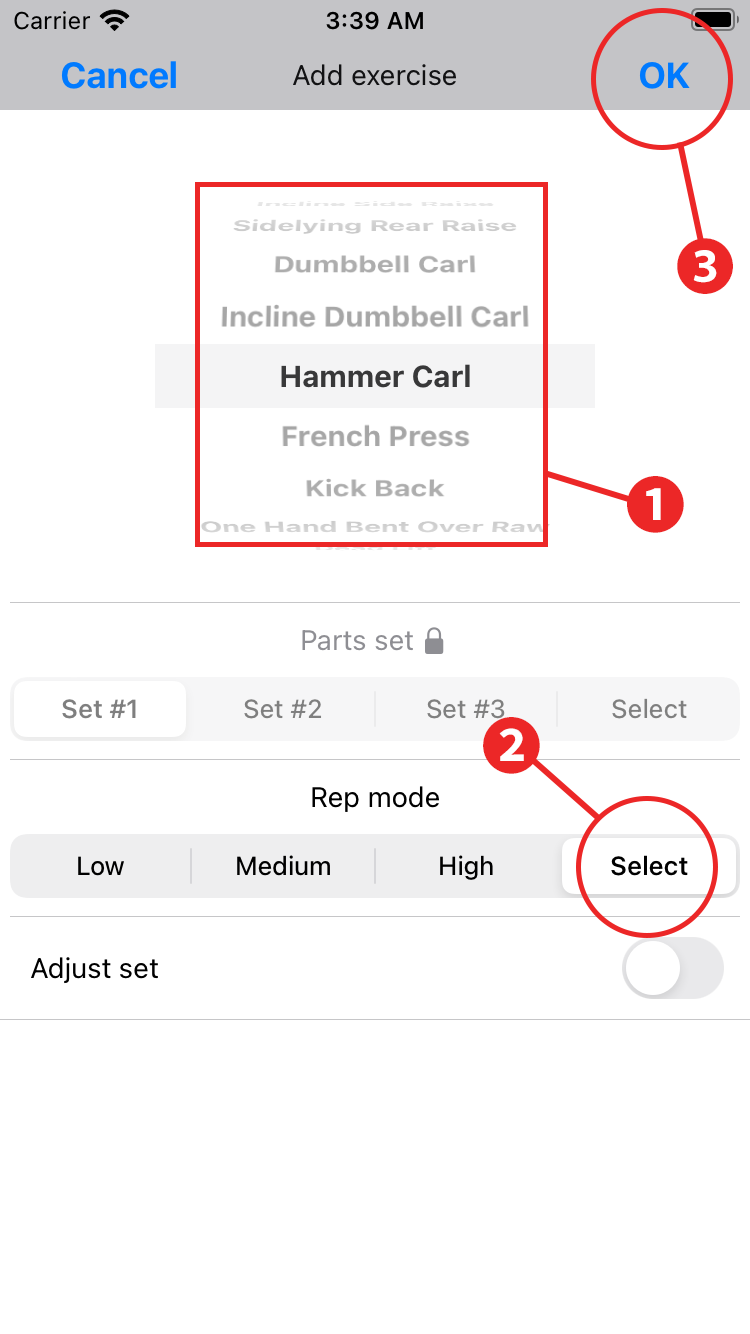
- The exercise you just registered will be listed on the wheel, so select the first exercise you want to do on the first day.
- Tap "Select" in Rep mode.
- Tap "OK" to complete adding the first exercise of Day 1.
Repeat the same steps to add all the exercises for the first day.
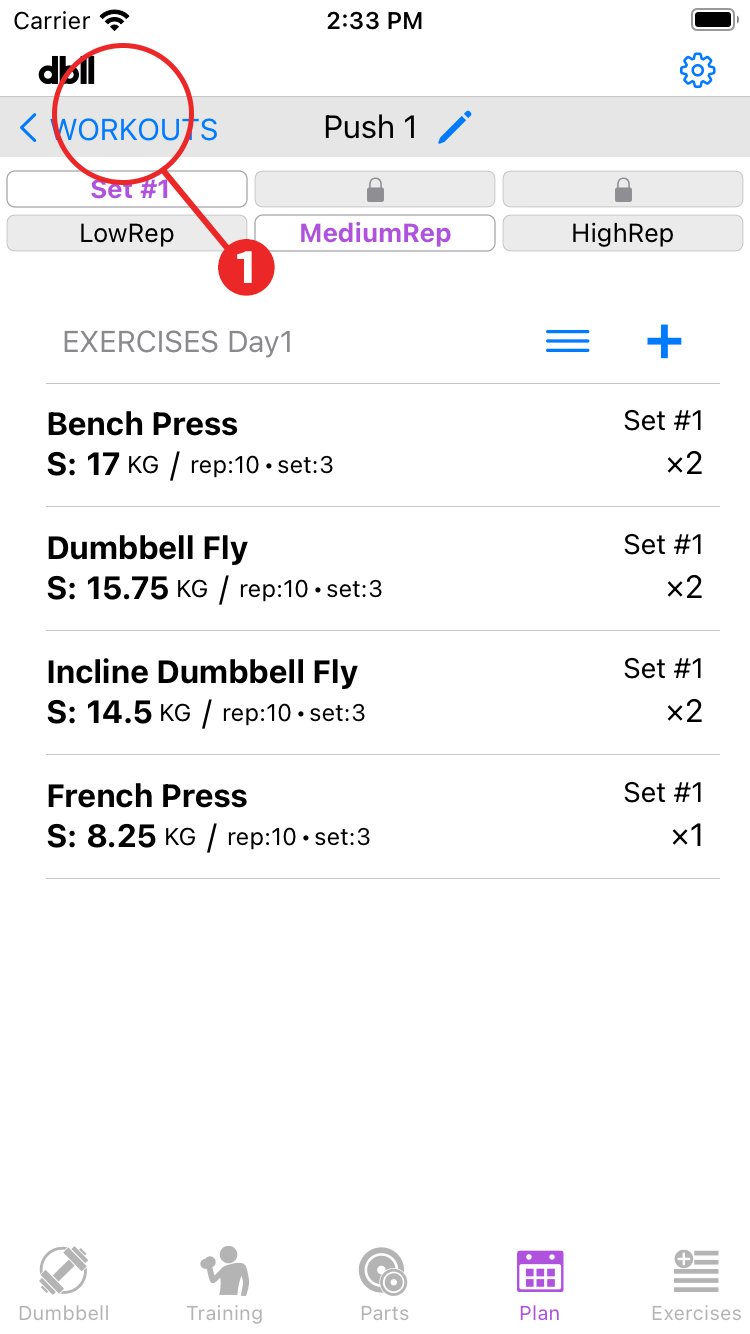
- When you have completed all the exercise registrations for the first day, tap "Workout" to return to the workout.
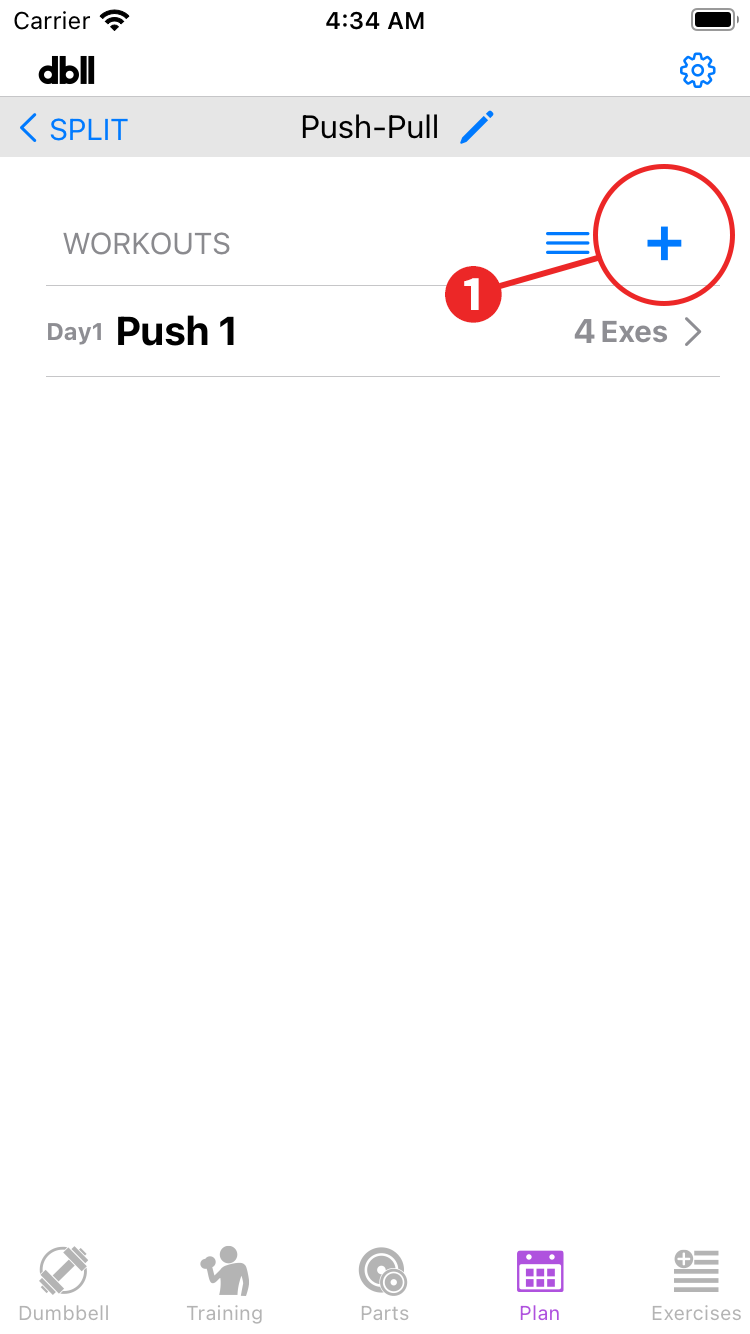
- Tap “+” to add a Day 2 and follow the same procedure as before to register exercises for Day 2.
In this way, you will create workouts for the number of days of the split you are setting up.
If you have a day off from training, add it as an off day.
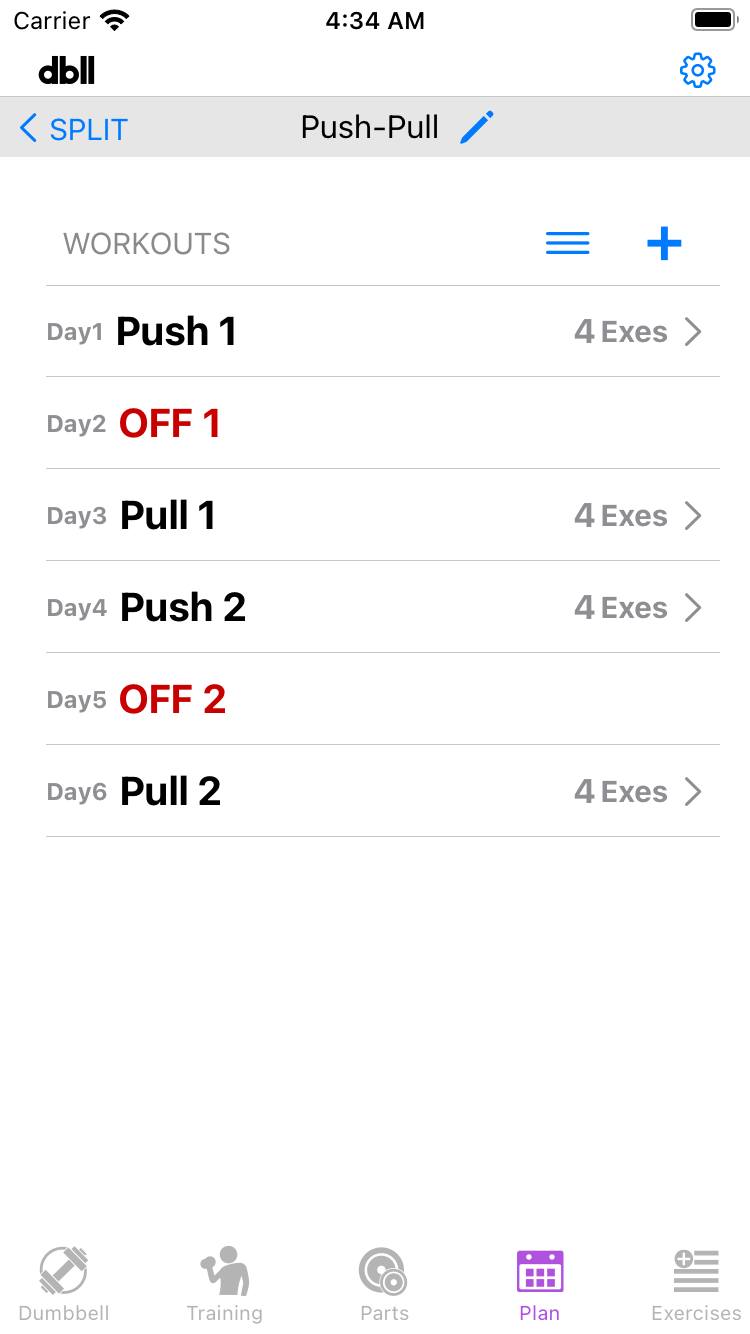
Once you've registered your plan, let's test training.