Menu itemdumbbell
Explanation of the dumbbell screen in the menu.
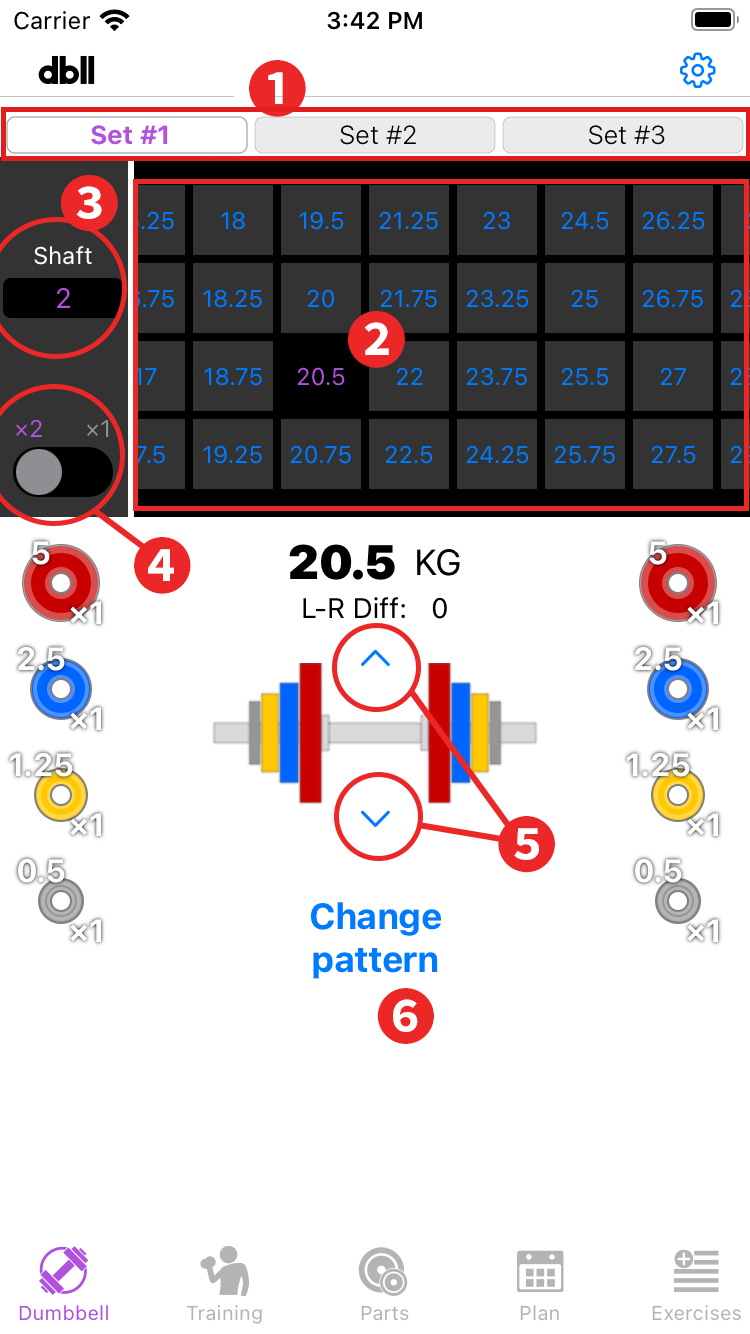
- Parts set switching: You can use it by purchasing "3 parts sets" with in-app purchase.
- List of available weights: The available weights for the selected parts set, shaft, and number of dumbbells used are displayed. Tap the weight display to display the dumbbell information. If there are several patterns for the same weight, the one with less difference in weight between left and right is prioritized. In this case, you may be able to improve the situation by changing the difference between the left and right weights in the "Change Pattern".
- Shafts switching: If multiple shafts are registered in the parts set, you can switch shafts to check the dumbbell weight.
- x1 and x2 switching: The weight of dumbbells can be switched between when only one dumbbell is used and when two dumbbells are used. The setting pattern may be different when one is used and when two are used.
- Change weight button: Sends the selected weight backward or forward.
- Change pattern: This allows you to change the weight difference between the left and right side of the setting pattern, or split the plate (5 kg to two 2.5 kg plates). When the plate setting pattern can be changed, it will turn blue, and tapping it will move to the change pattern screen. Details
Change pattern
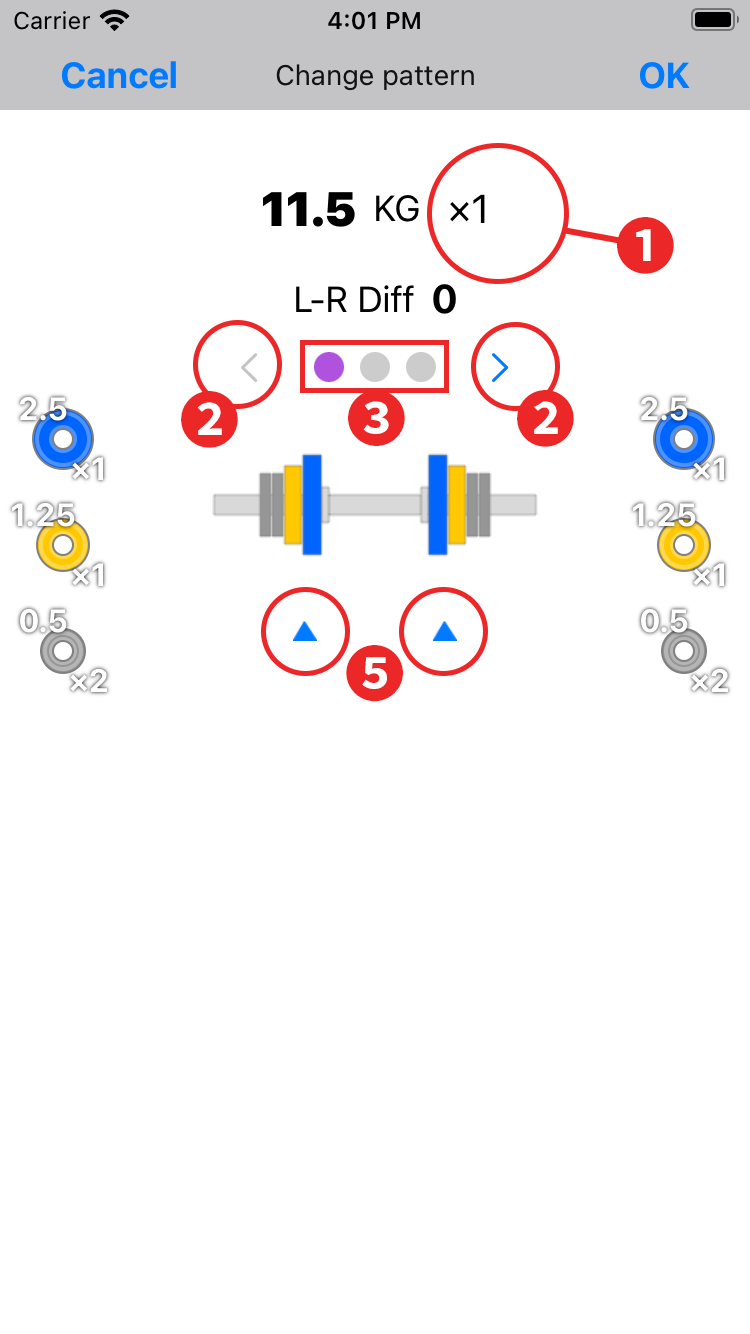
- x1 and x2 display: Since the pattern may change between single and double use, the change settings here are saved separately for single and double use.
- Back and forth button: Sends setting pattern candidates back and forth.
- Number of Setting Patterns: ● is displayed for the number of setting patterns. Purple indicates the selected pattern and yellow indicates the pattern that has been changed.
- Plate division button: When plate splitting is possible, the button turns blue and tapping it adds the split pattern to the candidates.
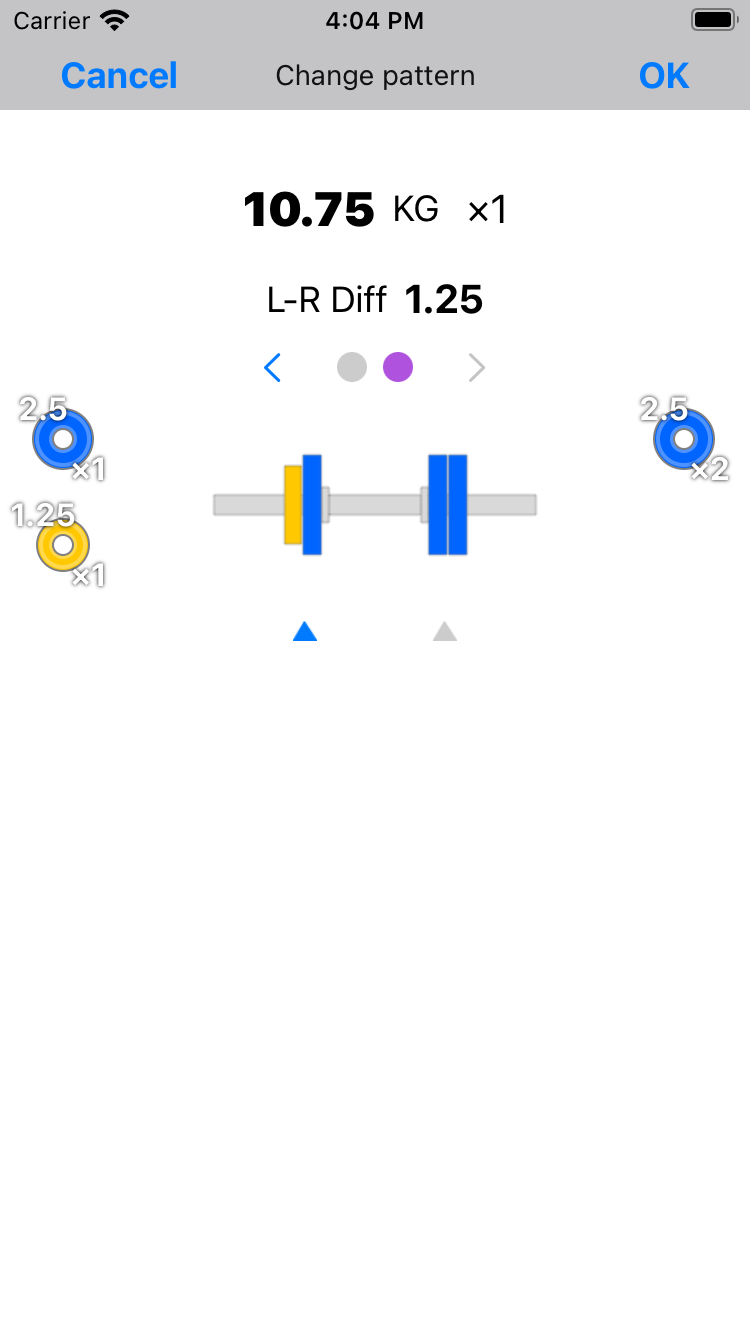
For example, in the case of the following plate pattern, use it when you want to replace one 5Kg plate with two 2.5Kg plates.

- Tap the "Plate division button" to add the following divided patterns to the candidate list.